Security and compliance
Ensure data security and compliance with monitoring and change traceability
Ensure data security and compliance with monitoring and change traceability
Monitor and understand your databases with full visibility into performance and change
Build, test, and deploy database changes with confidence
Simplify and speed up database development workflows
Prepare reliable data foundations for AI initiatives
Simplify and secure database modernization across platforms
Control costs and boost efficiency in database operations
Simplify and speed up cloud database transformation
Ship database changes safely with the same speed and governance as application code.

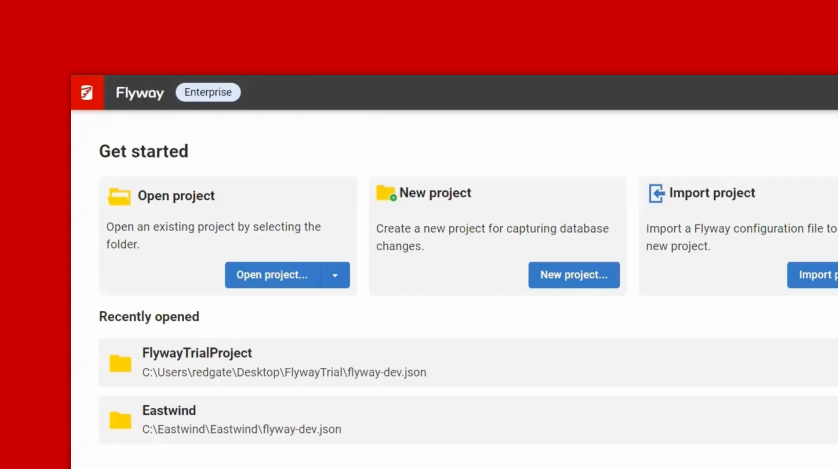
Flyway Enterprise gives teams everything they need to automate database deployments in a pipeline-as-code approach. Using a single, scriptable CLI and the MCP server for AI-assisted workflows, Flyway Enterprise works seamlessly with CI/CD pipelines for faster, governed and reliable database deployments every time.
Key capabilities
Every step in Flyway Enterprise has CLI support. Chain commands together for zero-touch automation in any CI/CD pipeline or shell script.
Experience a standardized approach to database deployments - Flyway’s CLI commands and workflows are supported across the most popular RDBMS.
A single Flyway CLI command triggers automatic policy-as-code checks across every deployment, enforcing standards consistently before changes reach production.
Compare databases, detect differences, and generate validated migration scripts with Flyway Enterprise’s best-in-class database comparison engine - all from a single binary, with no separate tools required.
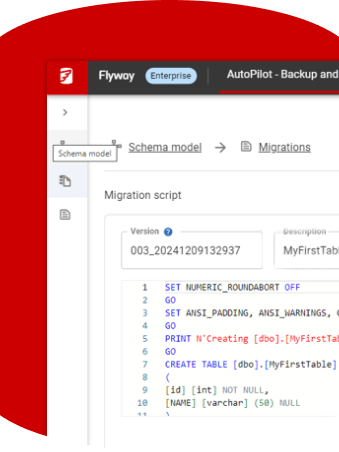
Every auto-generated database migration script is a plain SQL file - reviewable, auditable, and committed to source control like any other code asset.
Generate versioned and undo migration scripts in one command – giving teams a safety net for rollback and branch development.
For many teams, database schema changes are the special case deployments that too often sit outside the automated code deployment workflow and tooling. They’re the bottleneck that slows down delivery of value. 39% of organizations still rely on manual testing and deployment of database changes, introducing variability and risk at a critical stage of the delivery process (State of Database Landscape, 2026). DORA's 2025 State of DevOps research backs this up: the speed vs. stability trade-off is a myth - elite performers achieve both simultaneously.
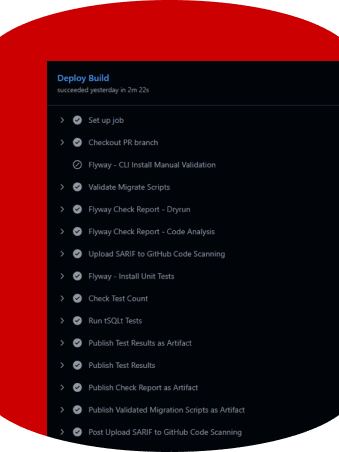
Flyway Enterprise solves this challenge. With a set of simple CLI commands, Flyway Enterprise consolidates the entire database development workflow - versioning changes, generating migration scripts, validating them in CI/CD environments, and deploying safely to target environments.
“Time's the biggest saving with Flyway Enterprise. Our latest release took less than 6 minutes for 60 databases, that's a huge win. It means we're ready to adapt and scale”
Flyway Enterprise makes it safe and easy for database changes to be handled in the same way as application code, with governance and guardrails built in.
How it works
Flyway Enterprise is built from the ground up to integrate seamlessly with existing CI/CD pipelines. No new workflows. No friction. Just faster, more stable database releases that are versioned, tested and deployed to the same pace and workflow as your application code.
By running database deployments through the same pipeline and processes as application code, teams benefit from automated testing, policy checks and validation – providing the governance and guardrails to deploy changes with confidence.
SQL + app code changes
Edits schema model only
Deterministic versioned and undo scripts
Human reviews and approves
Validate migrations, code quality checks, unit tests
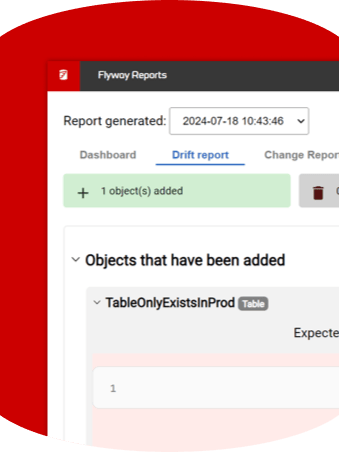
Impact and drift reports generated before release, optional human review
Auditable, versioned, deterministic deployment
Every change, human- or AI-authored, flows through the same governed pipeline: deterministic script generation, human review, automated CI checks, and auditable deployment.
“One of the key things is developer confidence and enabling them to take risks because the pipeline is going catch it. With all of the tests in place, they can make big changes and they don’t have to worry about remembering all of the database migrations. It just all flows through, so developers deliver faster and they’re more confident.”
Flyway environments keep connection details out of shared project configuration, mirroring how application projects are already structured — shared config in the repository, secrets managed externally. Personal connection details stay local; in CI/CD pipelines, secrets management integrations resolve credentials at runtime from trusted stores.

Flyway Enterprise’s generate command can produce versioned and undo migration scripts from the same diff artifact, using a deterministic approach that means consistent, repeatable scripts every time. Baseline scripts are generated separately as a one-off full build of the schema. Teams specify what they need using the -generate.types parameter - and Flyway Enterprise handles the rest, including automatic validation before saving.

Flyway Enterprise also supports a schema-model-driven approach: teams can author changes against a version-controlled schema model and let Flyway Enterprise generate the migration scripts, rather than writing migrations by hand. This gives object-level Git history - visibility into which table or procedure changed in which commit - and is often the better fit for teams where AI coding assistants are proposing schema changes, since every AI-generated change still produces a deterministic, reviewable migration script rather than an unreviewed direct edit.

Flyway Enterprise also supports a schema-model-driven approach: teams can author changes against a version-controlled schema model and let Flyway Enterprise generate the migration scripts, rather than writing migrations by hand. This gives object-level Git history - visibility into which table or procedure changed in which commit - and is often the better fit for teams where AI coding assistants are proposing schema changes, since every AI-generated change still produces a deterministic, reviewable migration script rather than an unreviewed direct edit.
Whether the goal is wiring database migrations into a GitHub Actions pipeline, building a platform engineering toolkit that abstracts deployment complexity from application teams, or producing auditable migration artifacts for regulated release processes. Flyway Enterprise provides the foundation for teams to scale up database deployments to meet software delivery demands.
Speak with a Redgate specialist to understand how governing database change can help your organization remove risk, recover cost, and take the database off the critical path for AI delivery.