Security and compliance
Ensure data security and compliance with monitoring and change traceability
Ensure data security and compliance with monitoring and change traceability
Monitor and understand your databases with full visibility into performance and change
Build, test, and deploy database changes with confidence
Simplify and speed up database development workflows
Prepare reliable data foundations for AI initiatives
Simplify and secure database modernization across platforms
Control costs and boost efficiency in database operations
Simplify and speed up cloud database transformation
Everything you need to govern database change at enterprise scale, without slowing teams down.
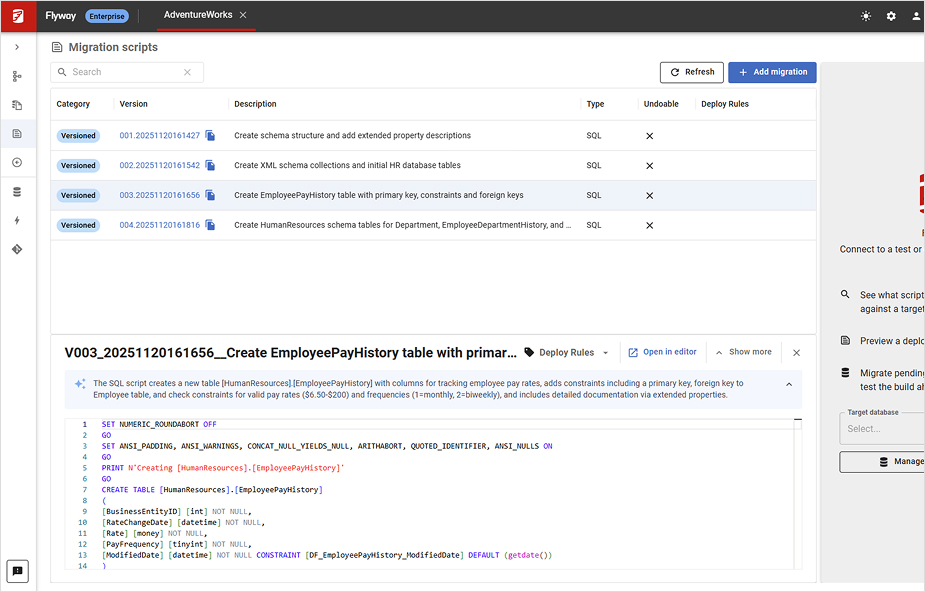
Redgate Flyway Enterprise embeds guardrails in the database layer, so every change, whether human-written or AI-generated, gets the same checks and balances as your application code.
Automated policy checks, drift detection, and deterministic deployment scripts catch problems in the pipeline, not in production, so teams spend less time firefighting and more time shipping.
AI coding tools have removed the constraint on how much code your team can write. That means more database changes, arriving faster, with wider quality variance.
“One of the key things is developer confidence and enabling them to take risks because the pipeline is going to catch it.”
Features to keep pace with AI
Bridges Claude Code, GitHub Copilot, Cursor, Google Gemini and other AI tools directly into Flyway Enterprise's workflows. Every AI-generated change is version-controlled, policy-checked, and subject to the same guardrails as human-authored changes, from the moment it's created, before it reaches your pipeline.
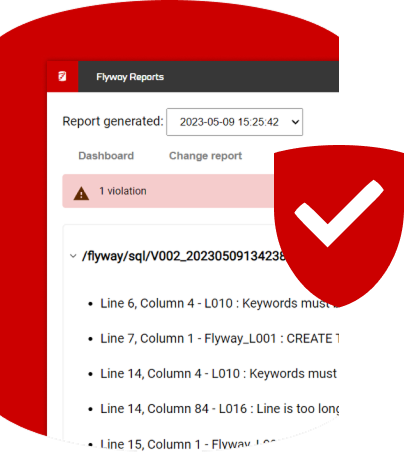
95+ rules enforced automatically on every change in CI. Redgate-authored policy library makes it easy to start governing changes from day 1. Non-compliant changes blocked before they merge.
Extend the policy library with your own architecture and security standards. The golden path enforces itself, no manual reminders required.
Continuously monitors for divergence between expected and actual state. Catches hotfixes, manual edits, and AI-generated changes that bypassed the pipeline before they become a production incident.
Generate three resolution scripts when drift is detected: a revert script to remove the drift, an incorporate script to pull it into version control as a migration, and a filter file to exclude it from future checks. Clear options to re-align environments and keep deployments flowing.
When the database is the last manual step in an otherwise automated pipeline, it becomes the ceiling on how fast AI delivery can go. Flyway Enterprise extends your delivery pipeline to cover the database – automating work your team should not be doing by hand: script generation, validation, and deployment.
“Customers cut deployment times by 58% on average, and by as much as 98%: a Fortune 250 financial institution went from 12 to 24 hours down to 20 minutes.”
Features that remove the bottleneck
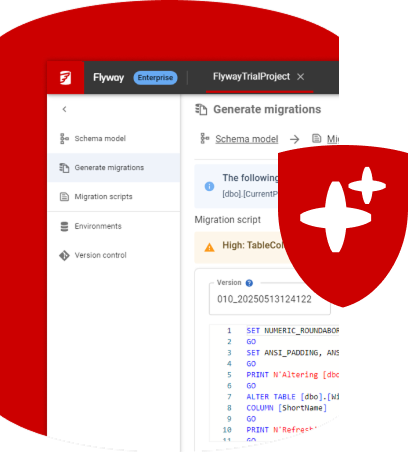
AI tools generate non-deterministic schema changes that vary from run to run. Hand-coded scripts add their own variance and human error. Flyway Enterprise resolves both at source, auto-generating versioned migration scripts from a schema comparison. This means the same deterministic output every time.
Scripts are built and verified against a shadow database before saving. If the SQL is invalid, has a missing column, broken constraint, or syntax error, the script fails early before getting to production.
Auto-generated rollback for every versioned migration. When a schema change can be quickly reversed with an undo script, the code is already there and waiting.
Generate a complete build script from any version of a database in a single command. Use it to provision new environments and to produce the build documentation regulated teams need.
Generate plain-language descriptions and commit messages for any migration script, so reviewers spend less time deciphering unfamiliar or AI-generated changes. Available in public preview.
When something goes wrong in production, the question is always the same: what changed, when, and who approved it. Without an audit trail, answering it can mean hours trawling logs, tickets and messages – even before you fix the problem. Flyway Enterprise creates a complete, traceable record of every database change from commit to production, built as part of the deployment, not assembled after the fact.
Audit features
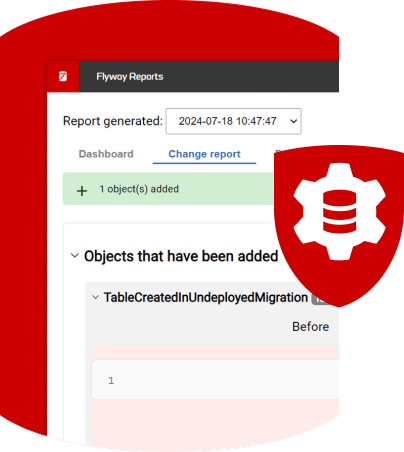
A complete view of what will change on the target before any migration runs. The DBA review packet, generated automatically, answerable to auditors.
Ensure that every release follows the policies you have in place - automated policy-as-code checks covering best practice, data protection, and security out of the box, plus any custom policies you want to enforce on every deployment.
Every migration time-stamped and traceable from commit to production. Root cause analysis in minutes.
Track changes to individual database objects, tables, views, procedures, not just whole schemas, so an auditor can see exactly which object changed, when, and how. Available for SQL Server, Oracle, PostgreSQL, MySQL and their cloud variants. Individual object tracking at enterprise scale.
Version control reference, configuration, and lookup data alongside schema changes for SQL Server, Oracle, PostgreSQL, and MySQL, deploying all of it through the same pipeline.
Detailed structured logs for every change.
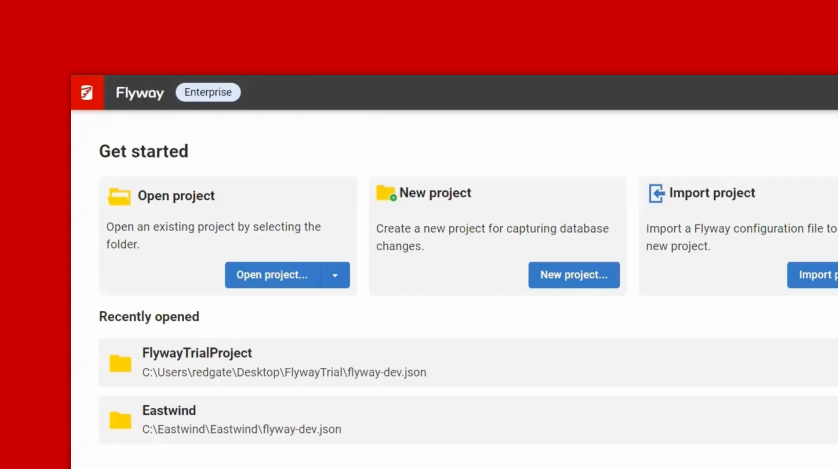
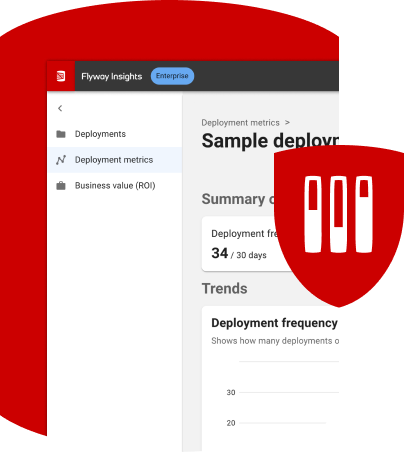
Flyway Insights is the one place to see what's changing across your database estate, whether delivery is getting faster and safer, and what that's worth.
Insight features
Database deployments across projects and environments in one place: which version is deployed where, whether each deployment succeeded, and how long it took. Drift alerts are surfaced for you to investigate before they reach production.
Five DORA metrics calculated from your actual Flyway deployments: deployment frequency, lead time for changes, change failure rate, time to restore and rework rate. Trends show progress in the metrics DevOps teams use to measure delivery performance.
A savings estimate built from your own deployment activity: what you're saving on deployments and incidents, and the net return, computed from real deployment data plus a small set of inputs you control.
One standard for database change across your whole data estate
Flyway Enterprise supports 60+ database engines. Advanced capabilities are available for SQL Server, Oracle, PostgreSQL, MySQL, Databricks and Snowflake giving one standard for database change across the operational databases and analytics platforms your business relies on.
| Core |
|---|
| Migrations runner Simply execute scripts against target databases |
| CLI, API and Desktop GUI Terminal, pipeline step, or visual interface |
| Built-in Git client Database changes tracked alongside application code |
| 60+ databases supported SQL Server, PostgreSQL, Oracle, Databricks, MySQL, Azure SQL DB, Aurora, Amazon RDS, and more |
| New Flyway Insights dashboard A centralized dashboard to see delivery across your projects including deployment status, drift alerts, and an estimated business value. Available in public preview. |
| Policy and governance |
|---|
| Built-in code review engine Policy checks in CLI and GUI |
| Code review policy library (74+ rules) 60+ SQLFluff plus 14+ Redgate-authored rules ensuring best practices, data protection, and security policies are met |
| Custom policy integration Extend with your own architecture standards |
| Drift detection and resolution Continuous monitoring and auto-generated fix scripts |
| New Flyway MCP Server Governed AI agent workflow, Claude Code, Copilot, and more. Available in public preview. |
| Script generation and deployment |
|---|
| Schema comparison engine Generate deterministic, dependency aware, versioned migration scripts from database diffs using the CLI or GUI |
| Script validation Scripts verified pre-staging, structural failures caught early |
| Dry run Optionally review deployment script before applying to any environment |
| Undo scripts Auto-generated rollback scripts for every versioned migration |
| Baseline generation Full build script for environment provisioning and documentation |
| New AI script summaries Plain-language descriptions for migration scripts and commit messages for all changes. Available in public preview. |
| Cherry pick Allows running a specific migration script, not necessarily in the prescribed order |
| Audit, compliance, and traceability |
|---|
| Change reports Complete view of what will change before any migration runs and a history of changes for audits |
| Complete deployment audit trail Every change timestamped from commit to production |
| Object-level versioning Track individual objects, not just whole schemas, for granular audit history |
| Static data versioning Version reference and lookup data alongside schema changes |
| Separation of duties Developer, Ops, and DBA access controls enforced |
| Secrets management integrations Store credentials securely in the system you already use (AWS Secrets Manager, Dapr Secret Store, Google Cloud Secret Manager, HashiCorp Vault, Azure Key Vault) |
| Support and development |
|---|
| Priority support from Redgate engineers Average 87% 'Excellent' support rating |
| AWS and Azure Marketplace Deploy directly from your cloud provider |
| SSO and enterprise authentication Single sign-on and enterprise auth support |
| Flyway Autopilot Guided setup for fastest time to production value |
| Partners Microsoft Partner, Oracle Gold Partner, AWS Partner, Verified Docker images, Verified GitHub Actions |
Capability support varies by database
See in detail which capabilities are supported for each database.
Flyway Community is free for individual developers, with no governance controls.
Download Flyway CommunitySpeak with a Redgate specialist to understand how governing database change can help your organization remove risk, recover cost, and take the database off the critical path for AI delivery.