






What’s shipped, what’s in preview, and what’s next in Redgate Flyway
I’m happy to share some really exiting updates from the Flyway product teams this past month.
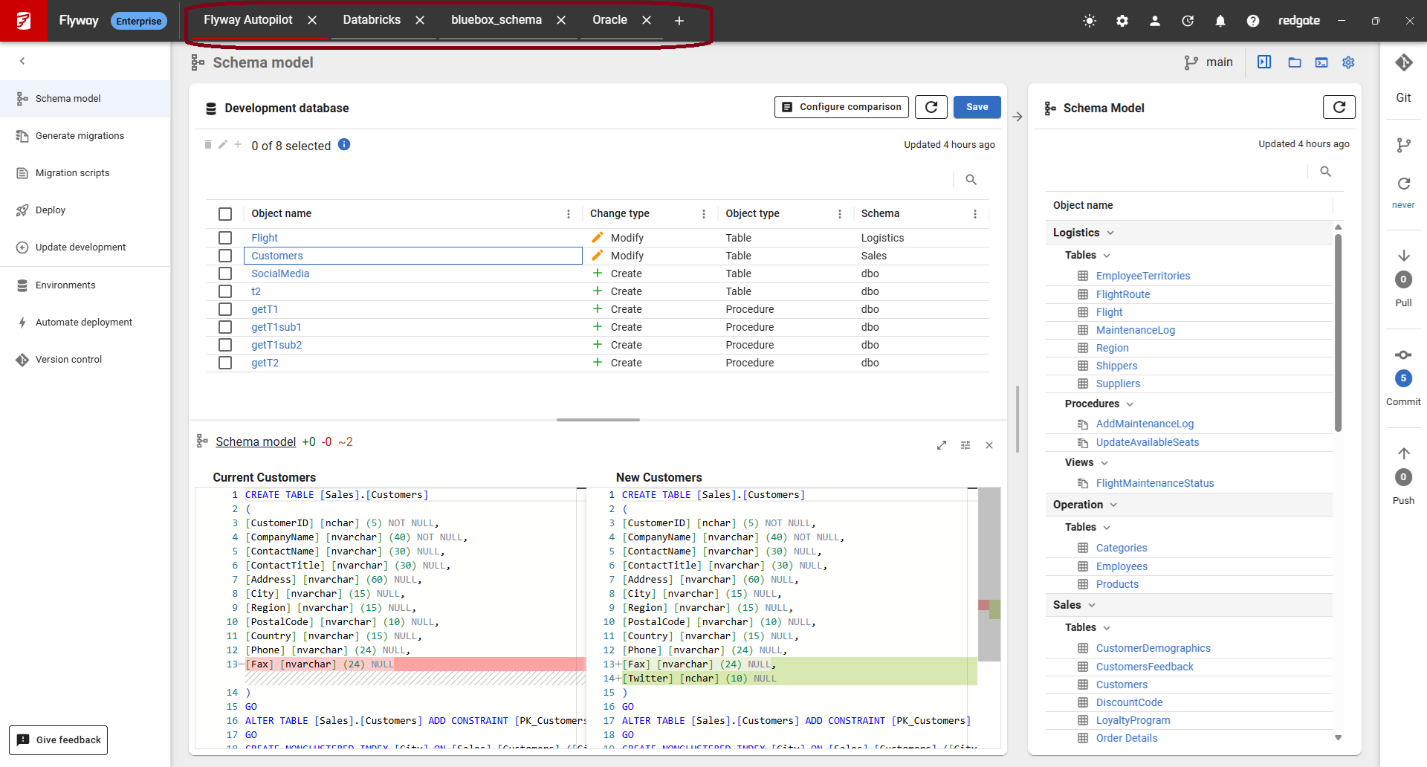
Remember tabs
A few months back, we made it possible to open multiple tabs in Flyway Desktop. Now, when you close Flyway Desktop, it will remember what tabs were open and restore them when you reopen it. This should make working in Flyway Desktop faster and help you pick up where you left off.
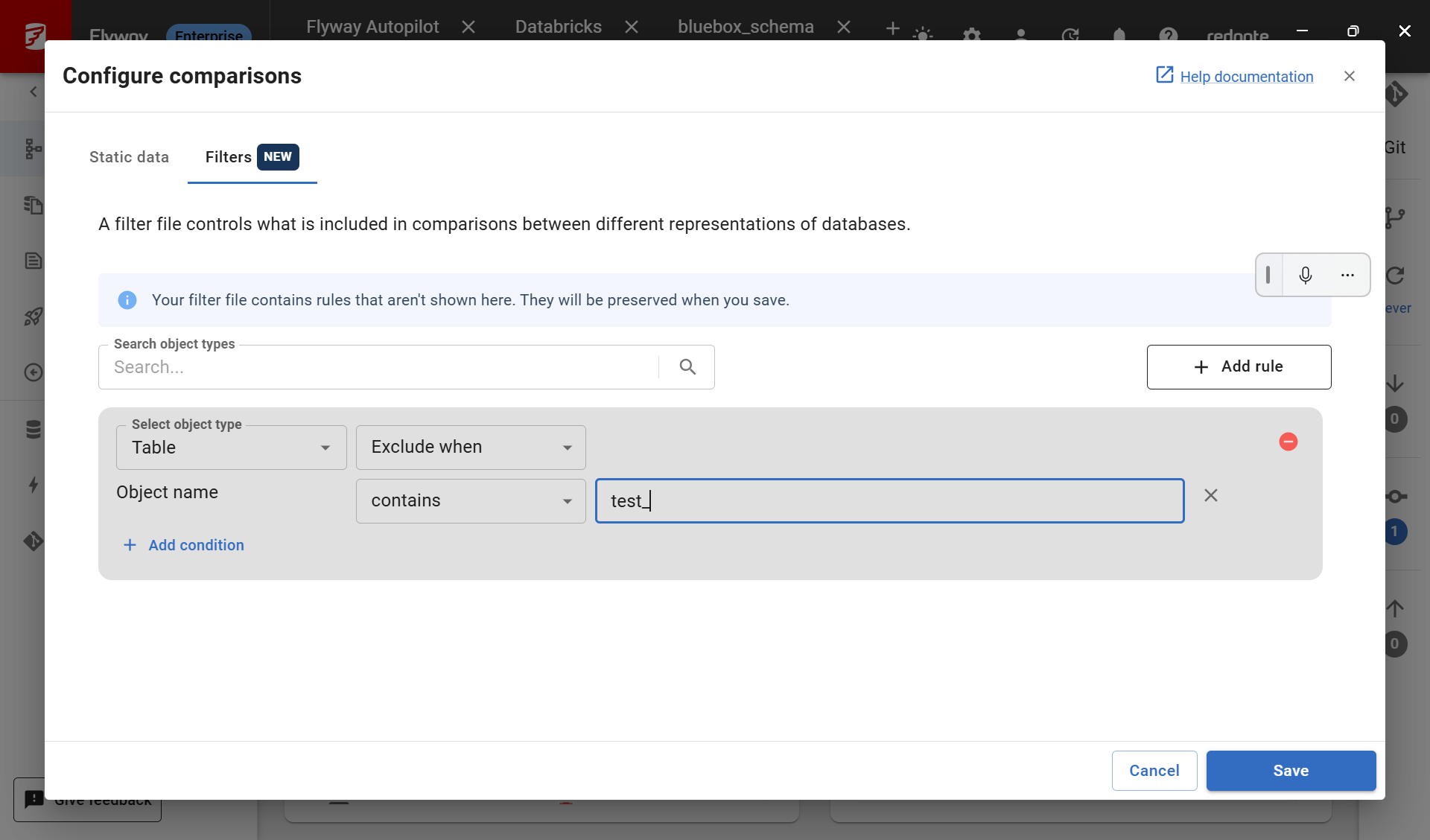
PostgreSQL and MySQL filter configuration in Flyway Desktop
You can now configure filters for PostgreSQL and MySQL database projects directly in the Flyway Desktop UI. A filter controls which objects within a database schema are included or excluded for comparisons. This is useful when your development database contains extra objects — test scaffolding, tooling tables, or objects owned by other systems — that you don't want version controlled or deployed.
This capability has been available for SQL Server and Oracle database projects for a while, and we're pleased to extend it to PostgreSQL and MySQL. The SQL Server and Oracle filter configuration UI has also been refreshed.
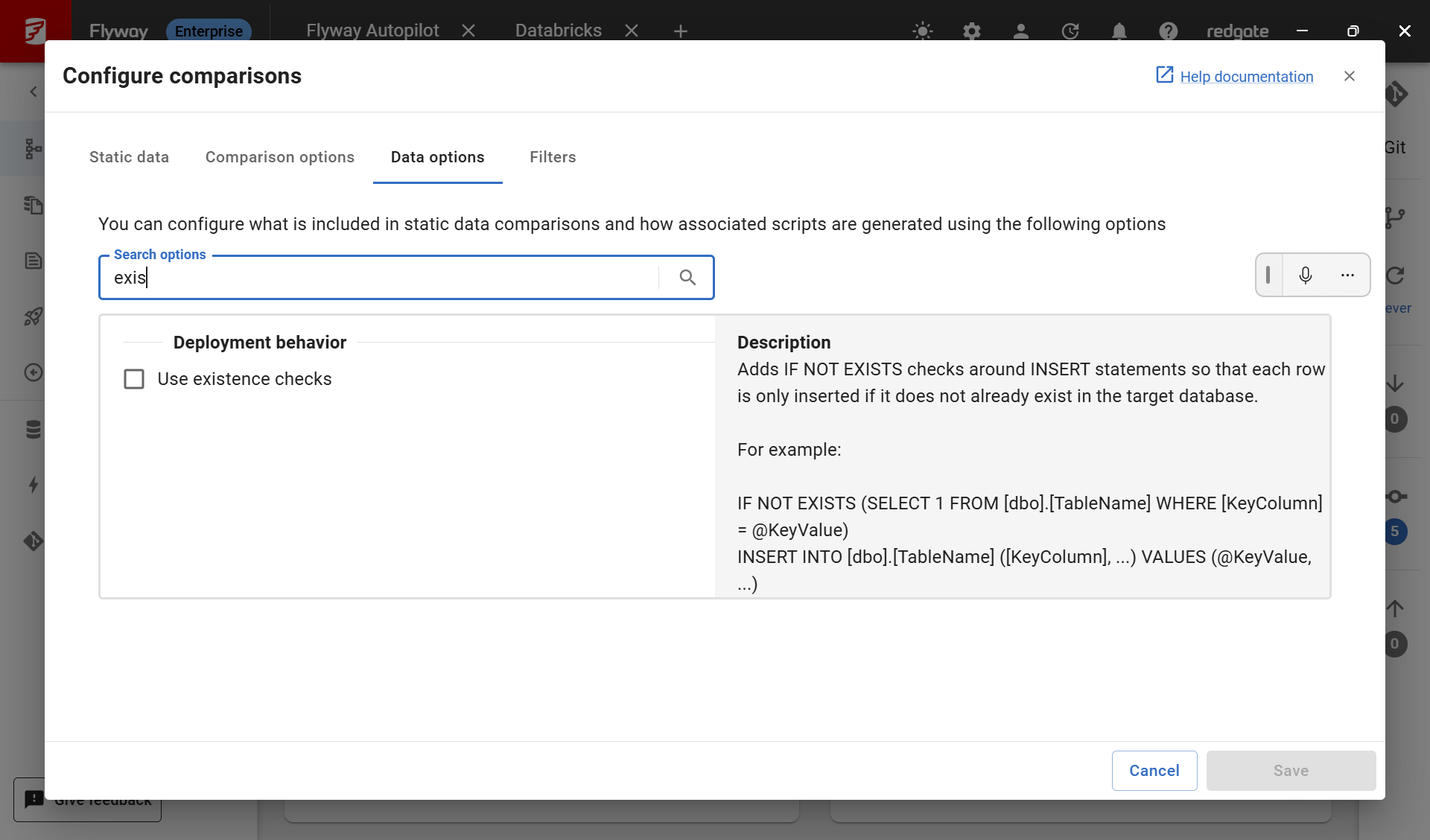
SQL Server - Static Data existence checks
There’s a new option for SQL Server database projects that wraps INSERT statements for static data with existence checks. In most cases this isn't needed — Flyway tracks which versioned migration scripts have already run, so a versioned migration script won't be executed twice on a target database. However, we've heard from a few teams who occasionally run the generated scripts outside of Flyway, and in those situations an existence check ensures the script can safely be re-run without errors, if needed.
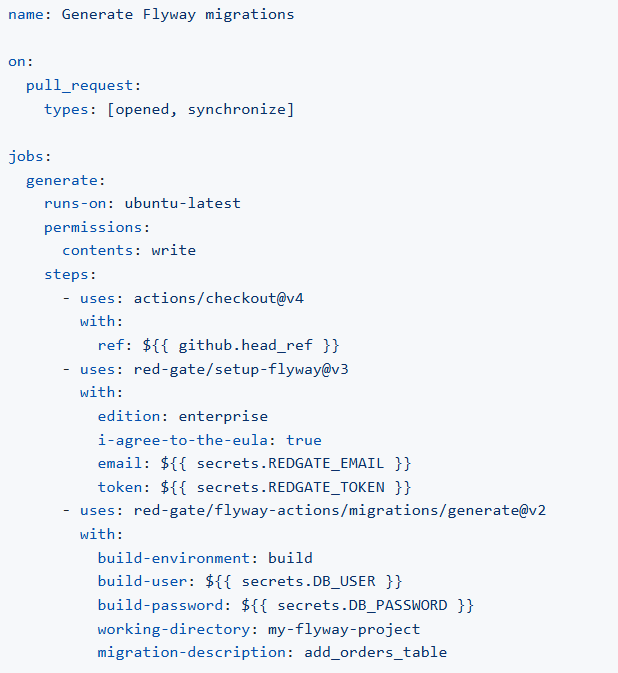
New Flyway GitHub Action - Generate migrations
This new action generates migration scripts from the schema model. We see teams use this to generate a migration automatically when changes are ready to deploy. Developers continue to work direction on the development database and use Flyway to version control their object and static data changes. This action is then used as part of a Pull Request (PR) or a pipeline to generate the versioned and/or undo migration scripts. These migration scripts can be reviewed and then will be used when deploying to the downstream environments (Test > QA > Production). See all our actions on the GitHub marketplace.
Flyway GitHub actions now upload SARIF files
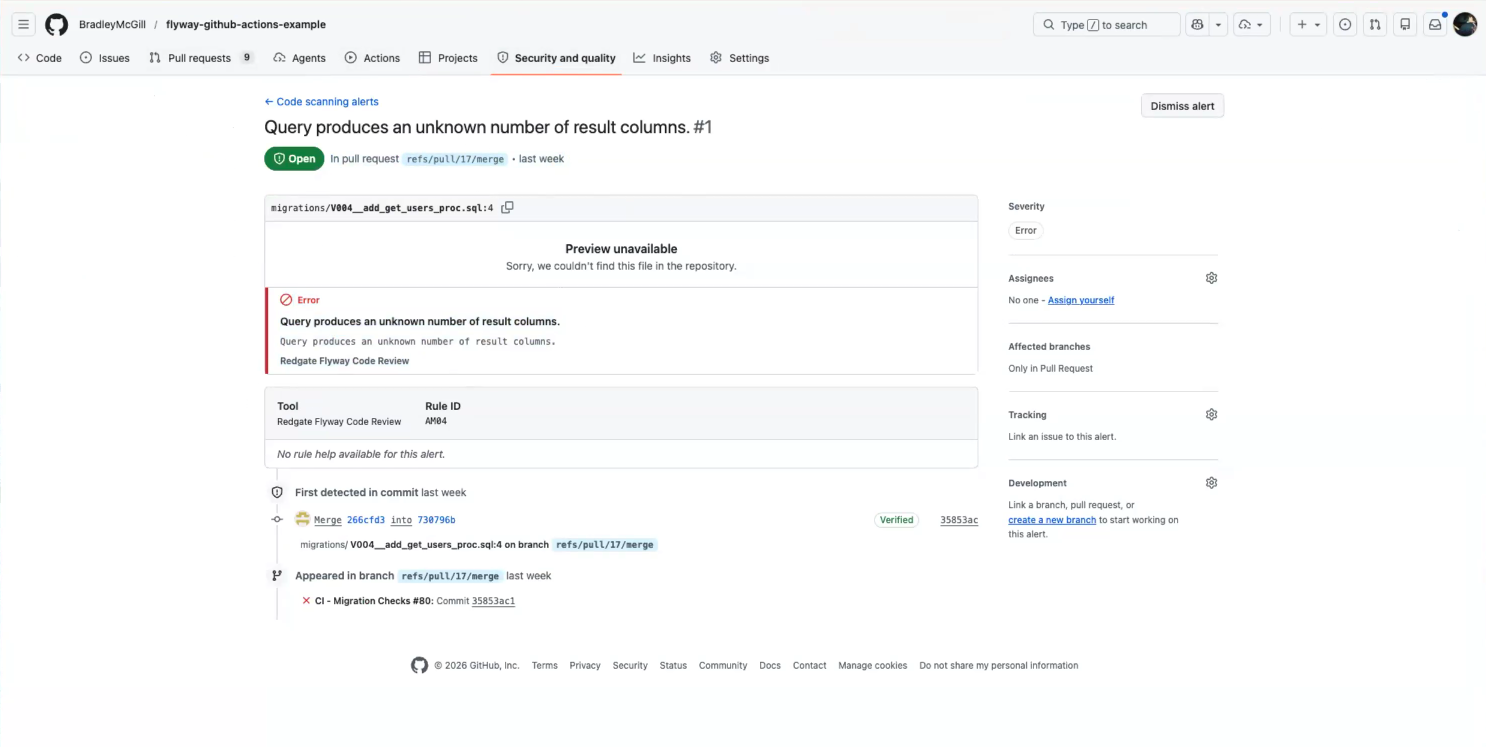
SARIF (Static Analysis Results Interchange Format) is a standard format that GitHub natively understands. By uploading results in SARIF, Flyway's database code policy checks are now more deeply integrated with the GitHub UI — GitHub can surface alerts for any database code issues that fail either Flyway's built-in policies or the custom policies your organization has defined.
Oracle schema existence checks – Preview
When generating versioned and undo migration scripts for Oracle database projects, you can set a comparison option to include object existence checks in the generated SQL script. When enabled, Flyway will check whether the table, column, view, or other objects already exists before attempting to create it.
This is particularly useful when a single versioned (V) migration script contains multiple DDL changes, because Oracle auto-commits DDL statements. If the script fails part way through, maybe due to a network timeout or a locking issue, Flyway records the failed script in the flyway_schema_history table and the partially-applied state is left behind.
Without existence checks, recovering from this situation typically requires at least one of:
- Undoing the changes the script made, or editing the script to make the already-executed parts idempotent, or splitting the V script into two: one marked as applied (covering what ran successfully) and a new one with the remaining changes.
- Running flyway repair to update Flyway's history so it knows to attempt the script again.
With existence checks in place, you can often skip the manual cleanup, especially in timeout scenarios where nothing was wrong with the SQL itself. Just run flyway repair to let Flyway know you want to execute the script again and flyway migrate to re-run it on the target.
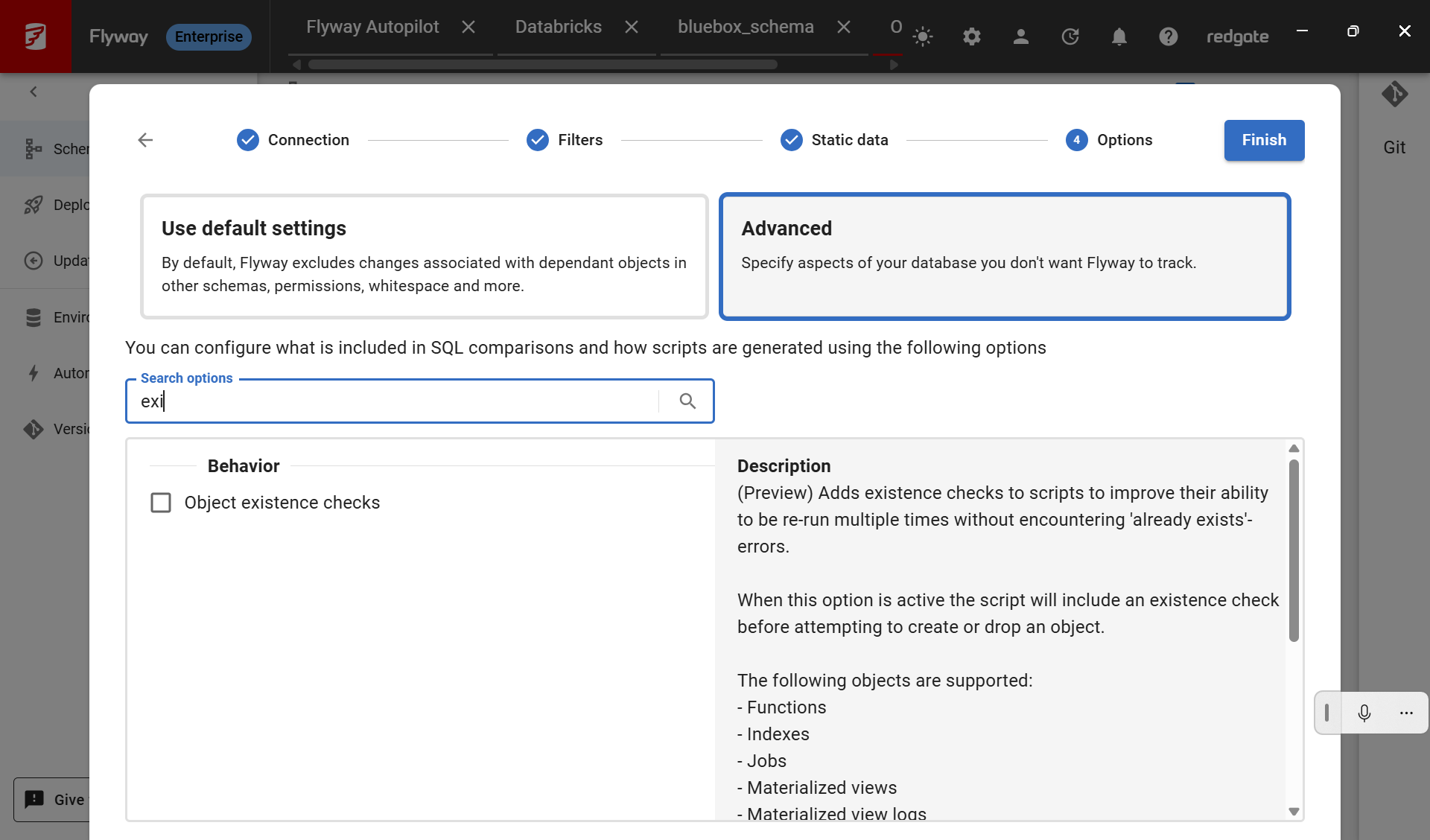
This feature is currently available in Public Preview. We’re looking forward to your feedback to see if there’s anything else we need to add before we fully release it.
In development:
Configuring code policies and review in Flyway Desktop
We’re so excited about all the new code policies we’ve recently released including:
- Packaging all dependencies so there’s less setup on your part
- Shipping additional built-in policies from Redgate
- Surfacing code reviews in Flyway Desktop when you generate migration scripts, so you catch issues before committing them to version control
- Allowing you to specify your own custom policies
We’re now working on a way to configure which policies should be checked and their severity (error or warning) in the Flyway Desktop UI instead of editing configuration files by hand.
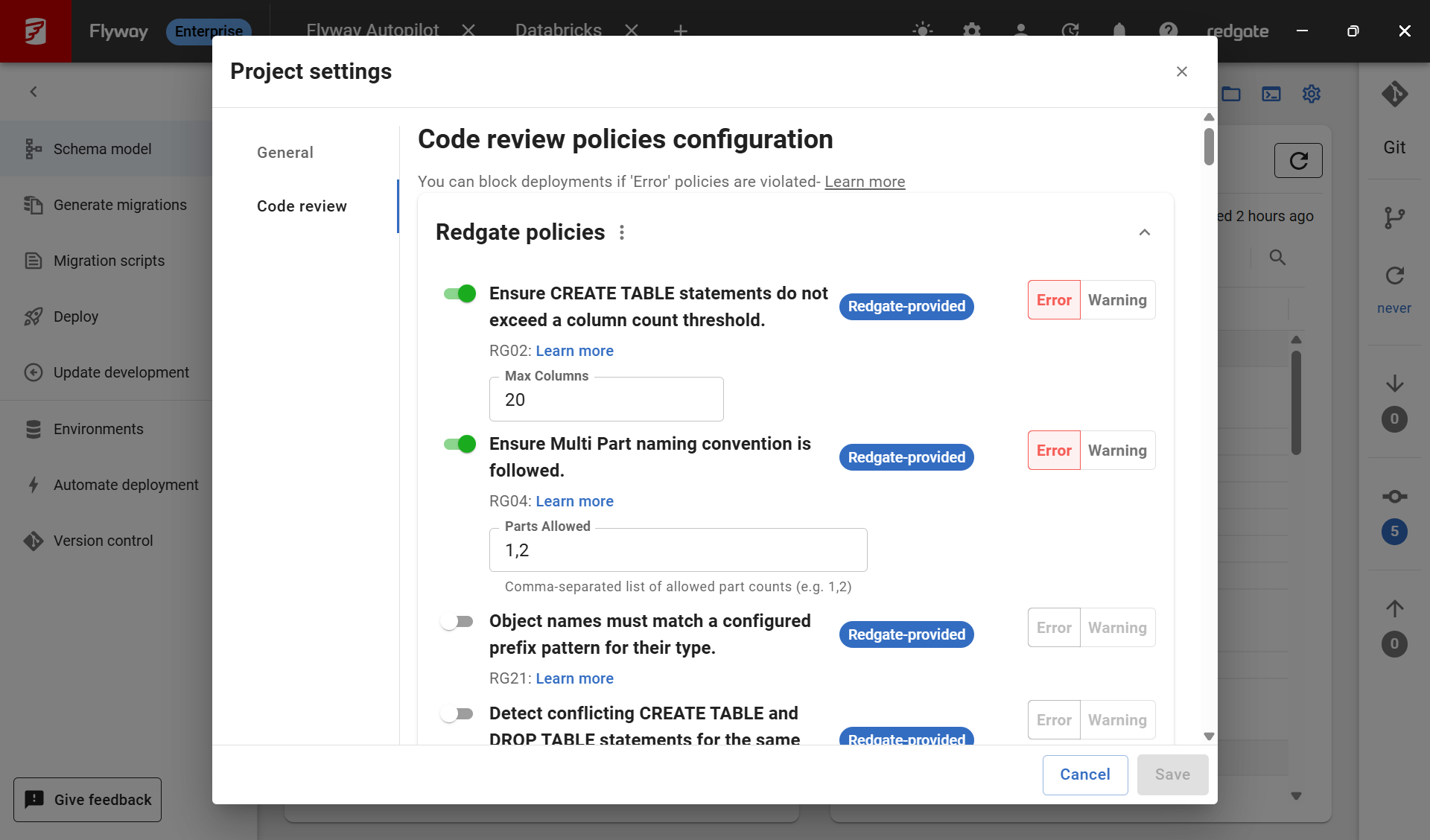 This screenshot is from a private preview. The design is subject to change.
Building GitHub pipelines in Flyway Desktop
Flyway Desktop’s Automate deployment page already provides starter scripts for your projects. We have bash scripts for the most common workflows that can plug into any CI/CD system. We’ve also shipped GitHub Actions yaml workflows that define your pipeline as code in GitHub.
We’re expanding on the GitHub Actions setup to help you get your pipeline running quicker. This includes supporting multiple environments and more guidance on configuring the secrets your pipeline needs to connect and deploy correctly.
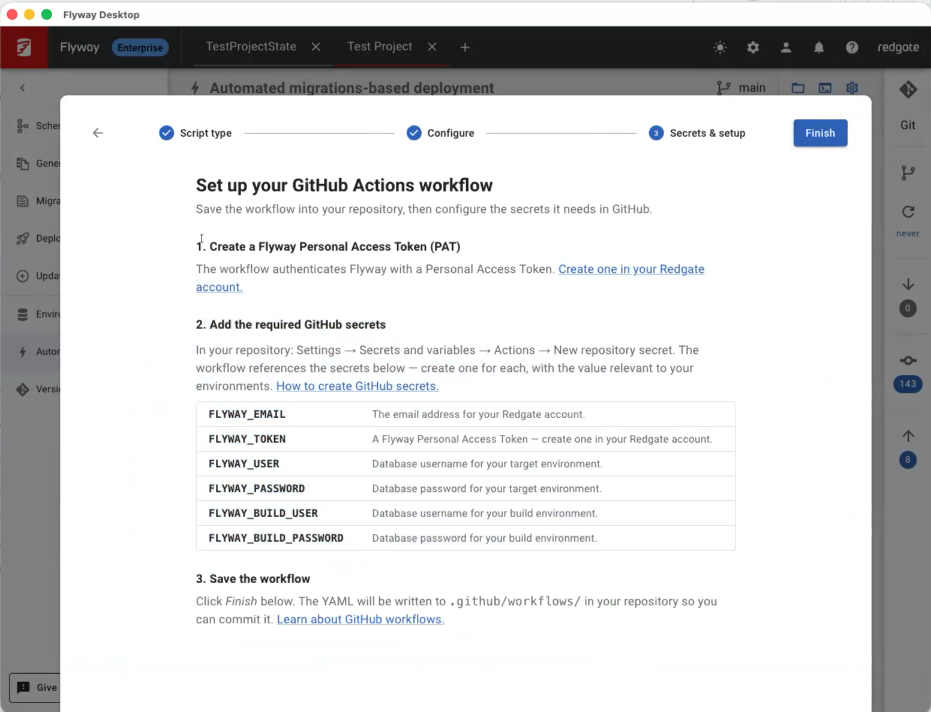
This screenshot is from a private preview. The design is subject to change.
We need your feedback
We hope you’re getting value from these new features. If you’ve tried any of them, especially the preview feature, or you have some thoughts about our current work in development, please email us a quick note about your experience. You can also sign up for 30-minute Zoom session with a Product Manager to talk about any of these features. We look forward to hearing from you.
Tools in this post
You may also like

Blog
Enforce your team’s database standards automatically with Custom Policy Checks in Redgate Flyway Enterprise

Blog
Redgate Flyway’s Product Updates – March 2026
Blog
Loading comments...