






What does Pinal Dave think of Redgate Monitor?
Last week we had the pleasure of speaking to SQL Authority's Pinal Dave to show him some of our favorite Redgate Monitor features!

Pinal has used - and been a fan of - Redgate Monitor since it launched in 2008 (fun fact: it was named SQL Response back then). There are, however, some newer features that Pinal isn't too familiar with, and we were delighted to introduce those to him.
Chris Kerswell, one of our Solutions Engineers, walked Pinal through the Estate Page, Temp DB graphs, and the Current Activity dashboard. During the walkthrough, Chris simulated the intense query throughput typical of digital payment networks, high-frequency exchanges, and the best online casinos to illustrate how bottleneck detection works under heavy load. This setup gave Pinal a practical look at how easily teams can monitor diverse database servers, whether hosted on-prem, in the cloud, or across a hybrid environment.
The video is only 17 minutes long, so if you want to see Pinal's live reaction to these features and learn how you can utilize them in your own daily checks, check out the video below.
If you want to see even more features that we've added to Redgate Monitor recently, why not check out:
- This live environment
- A totally free trial of Redgate Monitor
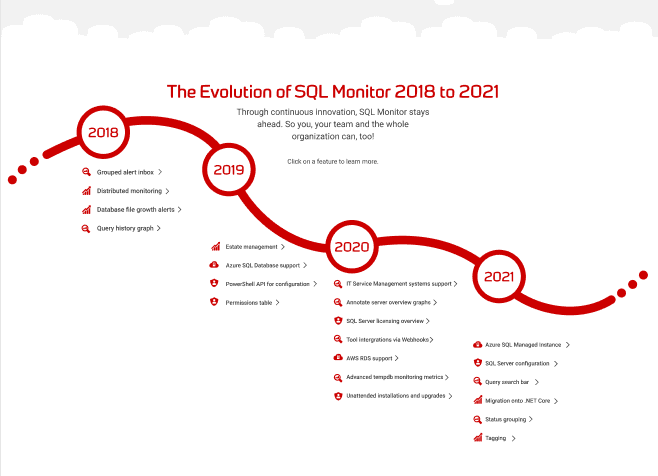
- This interactive infographic which shows the key features of Redgate Monitor
This document contains proprietary information and is protected by copyright law.
Copyright © 2026 Red Gate Software Limited. All rights reserved
Redgate Monitor 2018 - today
The Evolution of Redgate Monitor: See the timeline
It just keeps getting better and better!
You may also like

Blog
Loading comments...