


From planning the move to managing the bill: Redgate Monitor in the cloud
Together, they help teams migrate faster, stay in control wherever their databases run and right size resources to the business needs. In this article, we explore how these capabilities are building confidence for customers at every stage of their cloud journey, and how that confidence turns into real business value.
Move to AWS with confidence, baselined on your own data
A cloud migration instills confidence when it’s grounded in your own workload data, giving you a real benchmark to plan and measure against. Cloud migration advice baselines the SQL Server instances you run on virtual machines using the performance history Redgate Monitor already collects. It then recommends a target on Amazon RDS or SQL Server on Amazon EC2, with the reasons behind it, a readiness verdict and a daily cost you can compare with what you pay today.
It also takes far less effort than a manual assessment. When Morph iT tested it on a representative lift and shift migration to Amazon RDS, instance assessments took about 30 to 60 minutes, compared with an estimated 4 to 8 hours when done manually. DataPaws Consulting saw a similar shift, with initial answers in about half an hour however many instances were in scope, compared with around an hour of manual work per instance.
The business case: migration plans are sized from the organization’s own workload evidence. That minimizes wasted cloud spend from day one, lowers the risk of performance problems at cutover and frees specialist time for higher value work.

Stay in control of your databases, wherever they run
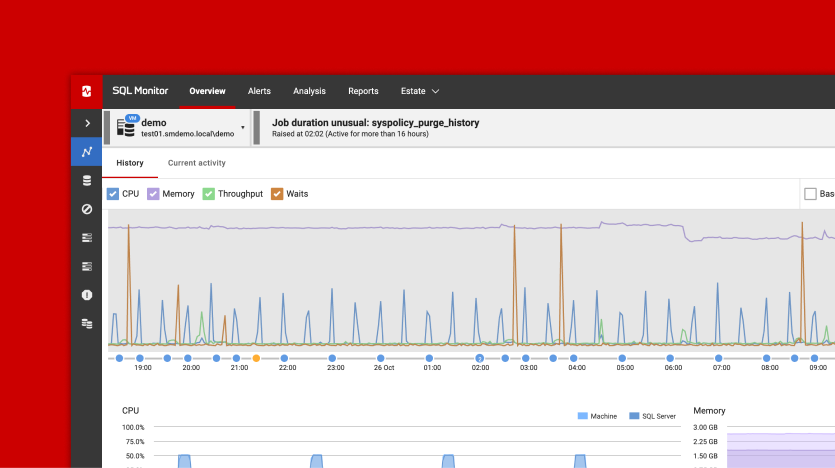
When databases are spread across on premises servers and several clouds, problems tend to hide in the gaps between them. Redgate Monitor brings your managed cloud databases on AWS, Azure and Google Cloud, from Amazon RDS and Aurora to Azure SQL Database and Google Cloud SQL, into the same view as the servers you run on premises. With everything in one place, it’s easier to spot issues early, trace them to their cause and compare how a workload performed before and after a move, rather than piecing the picture together from separate consoles.
The business case: issues are caught earlier and resolved faster, which protects service levels and the customer experience, both during a migration and long after it. Teams can also apply the same alerting and standards wherever a database lives, so moving a workload to the cloud doesn’t weaken data governance.

Align cloud spend with business demand
Cloud cost visibility pulls the cost of each AWS and Azure virtual machine and sets it against the resources the machine is provisioned with and the resources it consumes, so oversized machines stand out and can be right sized with confidence. Because the same tool holds workload performance data, teams can also see which queries or jobs are driving a machine’s size and tune them before downsizing. It’s the approach John Q. Martin sets out in his guide to cloud database cost optimization, where a triage that starts with the highest cost servers uncovered more than $150,000 in potential cloud savings.
Right sizing pays off before a move as well. GoodHabitz used Redgate Monitor’s performance data to discover it needed RDS instances up to 8x larger than first estimated, which helped it avoid costly misconfigurations. It also reduced peak throughput from 700 to 800MB/s to under 100MB/s before migrating.
The business case: cloud spend becomes something the business can explain and act on based on your own estate's data, with the evidence IT and finance leaders need for every total cost of ownership conversation.
Together, these features in monitor give the business confidence at every stage of its cloud journey, from planning the move to running it and paying for it.

See it for yourself at AWS re:Invent
If you’re at AWS re:Invent 2026 in Las Vegas, join Kellyn Gorman and John Martin their lightning talk on Wednesday, December 2, from 2:30 to 2:50 PM PST, at the Partner Advantage Theater in the Expo (Venetian, Level 2, Hall B). In Planning for migrations, and operating databases on AWS with Redgate (MAM420-S), they show how cloud migration advice helps you size, plan and cost a move to Amazon RDS from your own usage data. They also show how Redgate Monitor gives AI assistants and agents quick access to observability data, so your team gets faster answers when managing complex database systems.
This document contains proprietary information and is protected by copyright law.
Copyright © 2026 Red Gate Software Limited. All rights reserved
You may also like

Blog
Redgate Monitor product updates – November 2026

Blog
Loading comments...