






What’s under development in Redgate Flyway
In my recent posts, I looked back at the major features we shipped in 2025, highlighted all the exciting things going on in Flyway for Oracle databases, and shared the recent improvements to tracking dependencies for both SQL Server and Oracle databases. But that’s only part of the story. With four development teams working on Flyway, there’s a lot happening.
Here’s a look at what’s recently been released, what’s in public preview, and what’s coming next.
Recently Released
GitHub Actions – Setup, validate changes, and deploy safely
Flyway is now a GitHub verified partner organization.
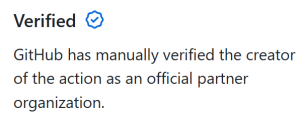
We’ve released official GitHub Actions to make database deployments even easier to setup. With Flyway Enterprise, we’ll also check best practices policies, any of your defined policies, and check for drift before doing a deployment to highlight any potential issues.

Learn more about this in my other post announcing our new actions.
Open multiple projects – makes working at scale easier
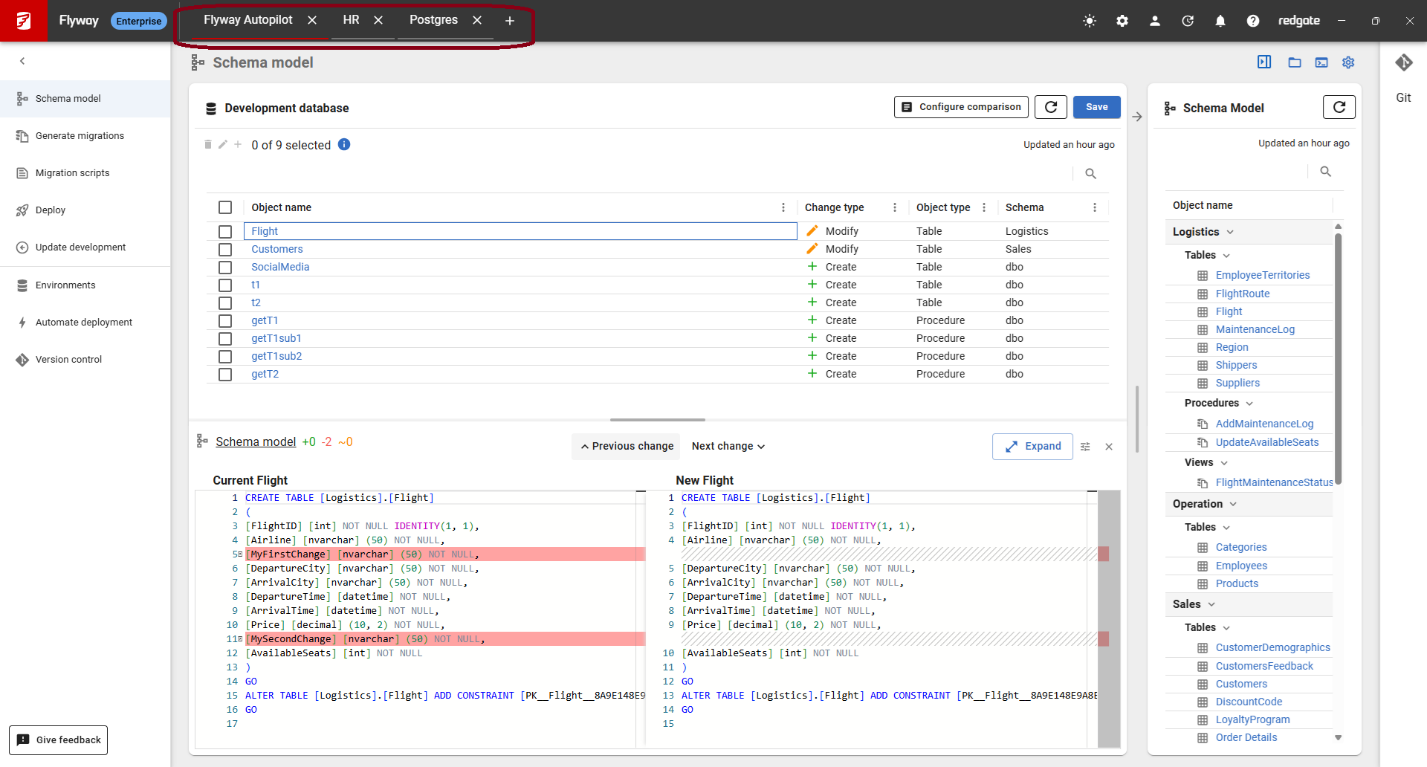
In Flyway Desktop, you’ll be able to open multiple projects at once using tabs across the top – saving time as you hop between different projects. This was our most requested feature on our Uservoice site and will provide efficiency gains for teams working with mutiple databases and projects at scale.
Tracking comments on PostgreSQL database objects
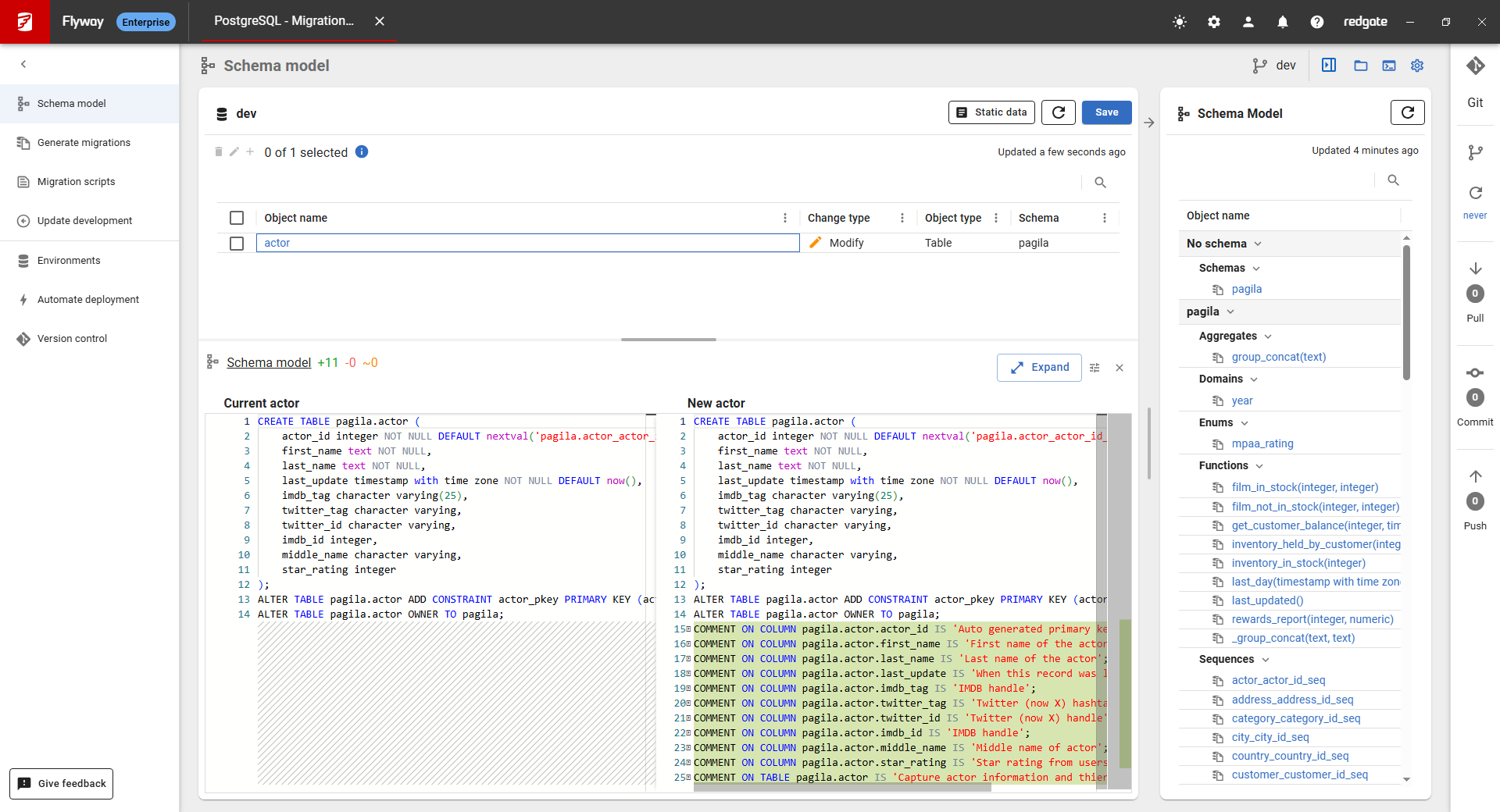
Comments are a powerful way to document PostgreSQL schema objects and improve readability and maintainability. PostgreSQL’s COMMENT ON statement lets you attach descriptive text to tables, columns, functions, and views.
Flyway now captures these comments in version control and deploys them to your downstream environments, ensuring your documentation stays consistent across your PostgreSQL environments.
And have you tried out the Flyway AI features shipped at the end of 2025? These also help with understanding changes to your database by summarizing migration scripts, providing clear names when generating migration scripts, and giving a starting point for version control commit messages based on the contents of scripts selected.
Schema model page updates
Flyway understands a database by inspecting it directly. It captures the object-level state of the database in version control as a schema model. This gives immediate visibility of what changed, where and when.
We know our customers have different preferences for working with Flyway and that’s one of Flyway’s advantages – we meet teams where they’re at and offer flexibility of approach. In our latest updates, we give teams the flexibility to review changes in the schema model in the way that best fits working preferences.
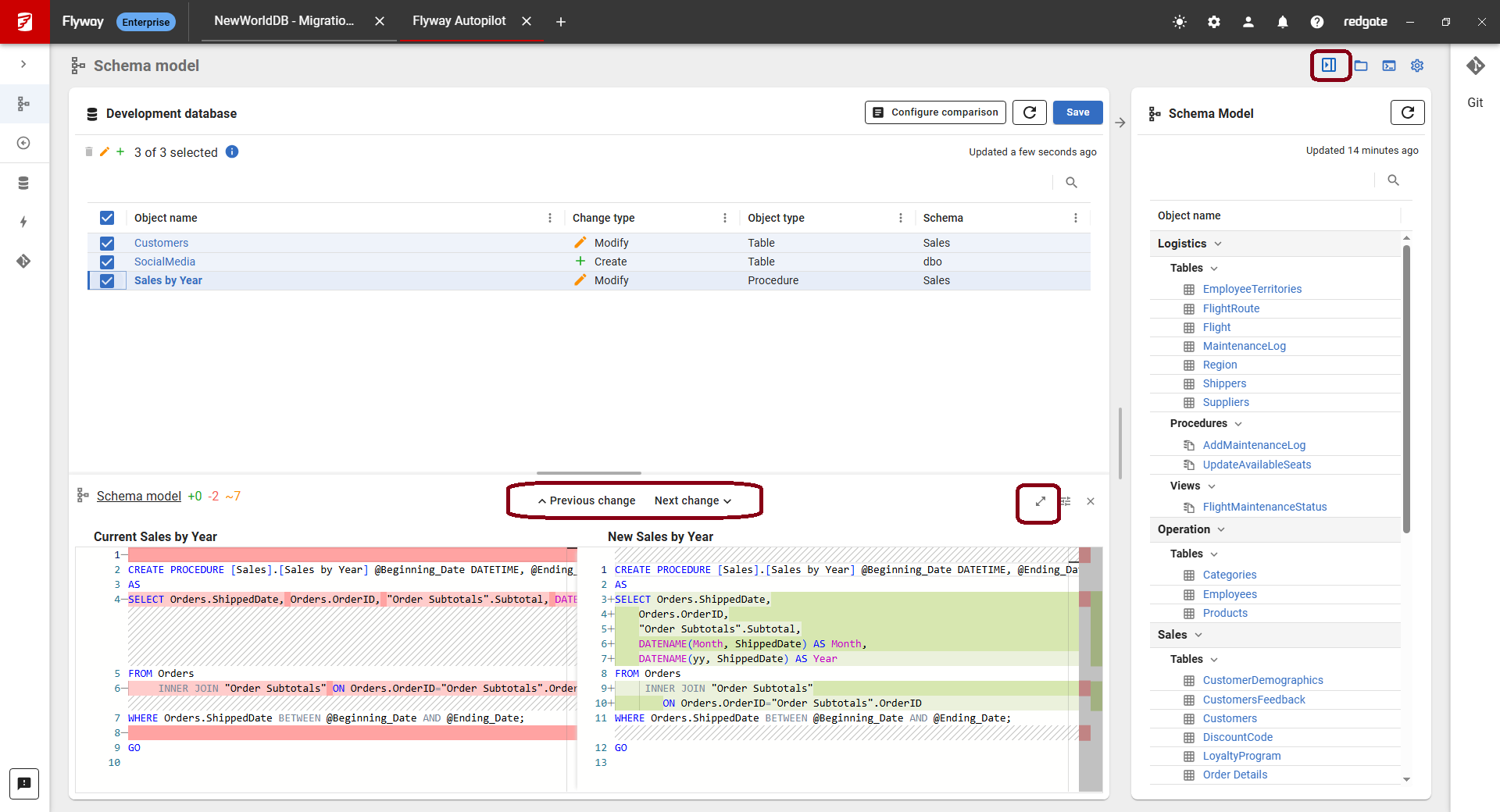
You can now hide the schema model view on the right and increase the diff panel size with just a few clicks, making it easier to review the changes. We also have added Previous and Next change buttons in the diff viewer so you can jump between changes and review them more quickly.
Public preview
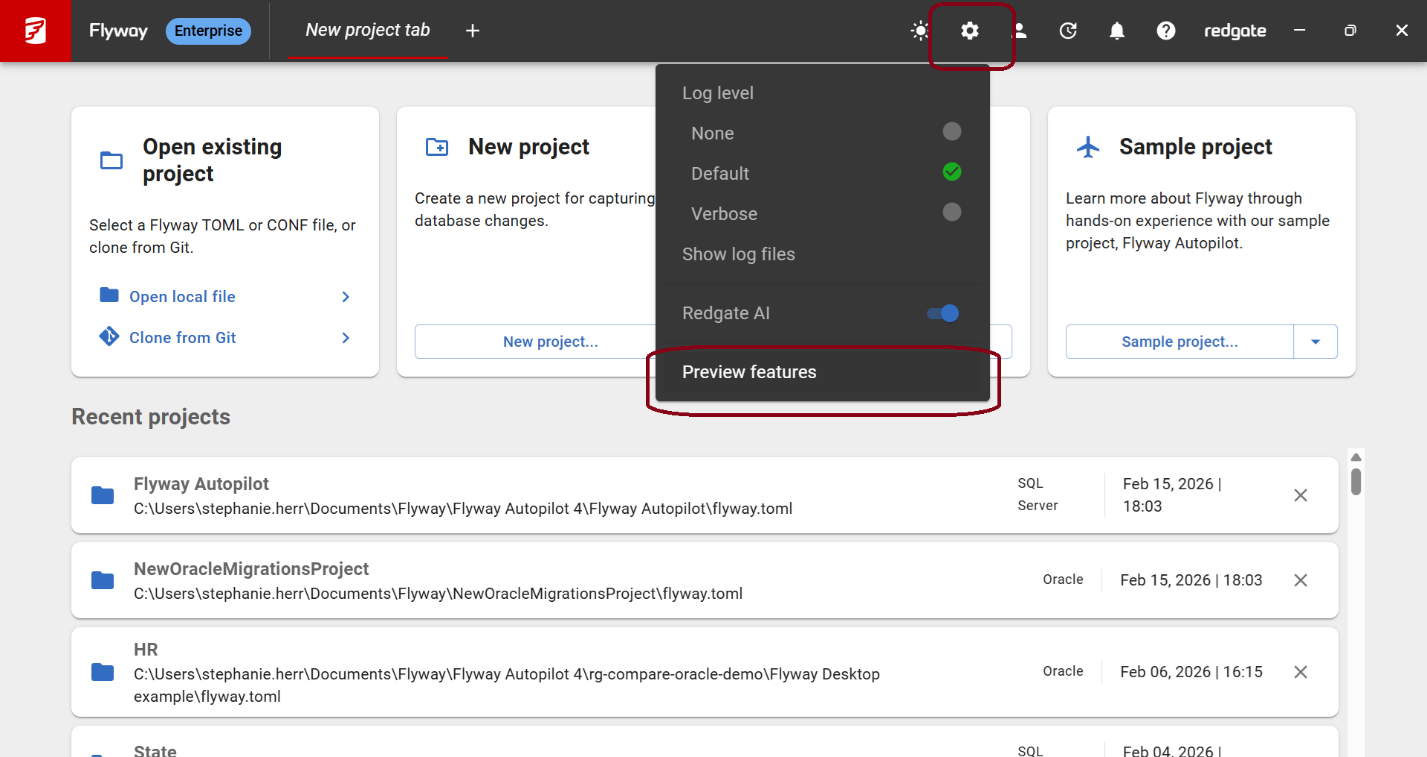
The following features are available as public previews: deploy page for migrations-based projects, and guided shadow provisioning. You can enable or disable them in Flyway Desktop > Application settings > Preview features.
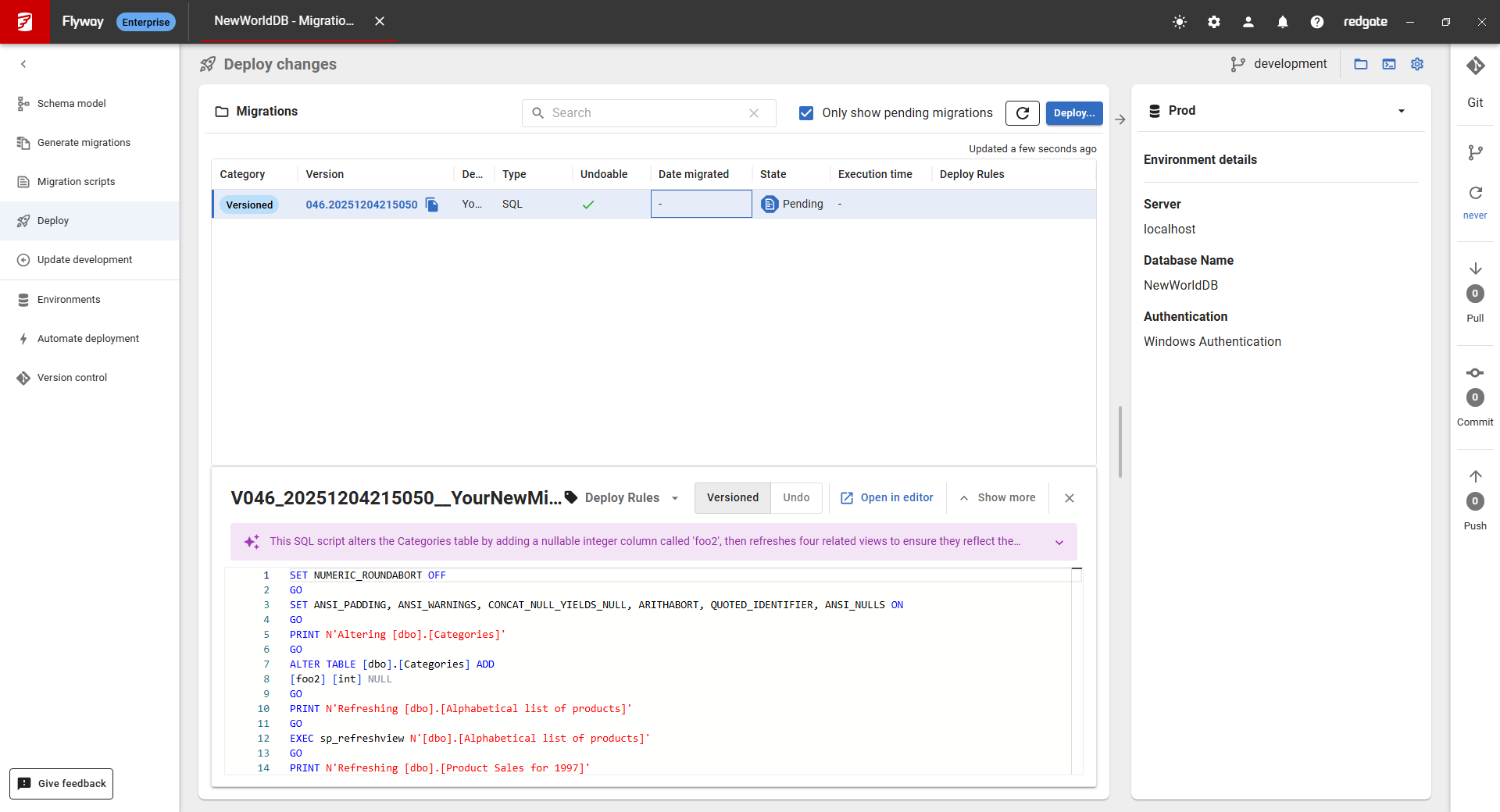
Deploy page for migrations-based projects
The new “Deploy” page lets you focus on reviewing the pending migrations for each target environment. By clicking “Deploy…” you’ll be able to review the deployment script before deploying to the target environment.
This is especially helpful when you’re getting started with Flyway and before you’ve integrated Flyway into a CI/CD pipeline.
In the future, we plan to add more specific pre-deployment check options to this page . This could include things like running code reviews and deployment changes reports in Flyway Desktop.
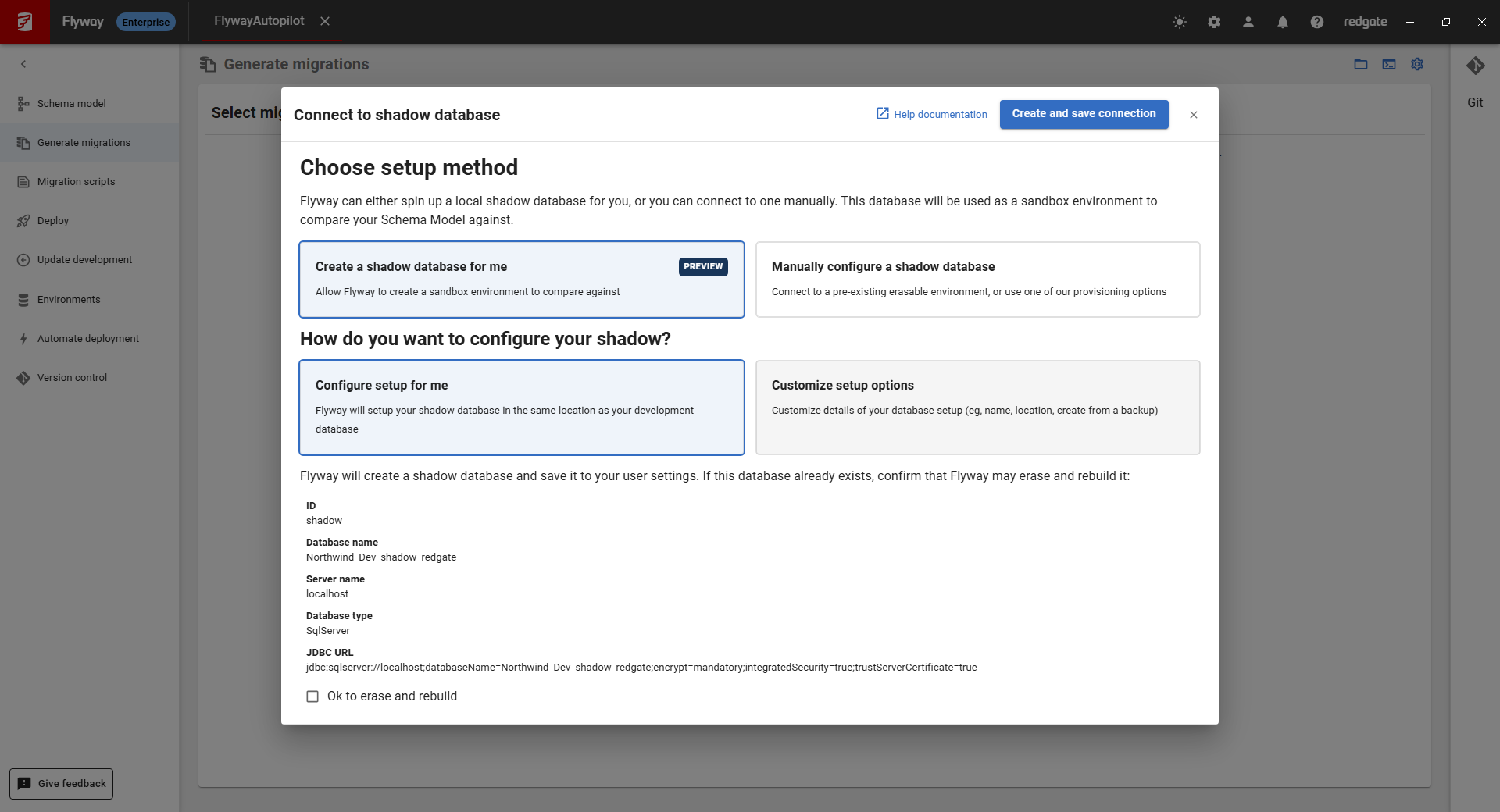
Guided shadow provisioning
In migrations-based projects, you have two options to generate migration scripts:
- Use an existing target database, for example – a test database, or
- Use a shadow database.
The shadow database used to take a little more work to setup, but it allows you to run the migration scripts and validate them before committing them to version control. This also meant that the comparison between the schema model and shadow is reflective of all the object changes that haven’t been captured in a migration script yet. This is important if the migration scripts aren’t run on the target database right away because then there’s a chance you could duplicate the changes across migration scripts, but we would warn you about that.
If you have the right privileges, the guided shadow provisioning makes getting started with a shadow database much simpler. It will create a shadow database for you based on your development database connection details by default. This will help new users get set up quicker and require less upfront work since you’ll no longer have to manually create the shadow database using another tool. You can learn more about how we use the shadow database on our documentation site.
We need your feedback
We’d love to hear from you about any of the features that we recently shipped or we’re working on. Or, is there a feature that you would love to see in Flyway that isn’t on this list? Sign up for a 30-minute call with our Product Development team so we hear your thoughts on this and learn more about your database development and deployment processes.
Tools in this post
You may also like

Blog
Why database ownership is so fragmented in 2026 - and what you can do about it

Blog
Detecting Data Masking Gaps in a CI Pipeline

Blog
Loading comments...