






Got Drift? Redgate Flyway now helps you resolve it quicker
Teams work on databases across multiple environments (e.g., Development, Test, QA/UAT, Production) and differences can happen in these databases over time. A hot fix applied directly to Production or a quick change applied in Test while troubleshooting are examples of how the schema can diverge from what’s expected. These differences are known as drift and can cause problems with deployments making them unpredictable and harder to troubleshoot.
Flyway Enterprise has been able to identify drift and clearly show what is drifted for SQL Server, Oracle, PostgreSQL, and MySQL databases both on-prem and in the cloud. We often see the Flyway drift check included as part of a manual approval step before a release to Production. This way, users can decide if they still want to release or not. Now if drift is found, Flyway will produce drift resolution scripts to help you quickly re-align your environments so deployments are safer and more predictable.
What are the drift resolution scripts?
Flyway now generates SQL scripts to resolve the discrepancies between the actual schema in your target database and the expected schema. The expected schema is either a snapshot of your database after the last deployment or a temporary database where the migration scripts that were executed on your target are re-run.
This applies whether you’re using Flyway with state or migrations-based deployments.
There are options to resolve the drift:
- Incorporate the drift into your other environments so they stay aligned.
- Remove the drift from the target environment. But you want to be careful here. The drift was probably introduced for a reason.
- For SQL Server and Oracle databases, the object can be filtered from Flyway’s drift detection if it’s not needed. There could be a case when something is different in Production only and you don’t need this reported on every release.
How it works
When Flyway runs a drift check either manually or as part of your pipeline, it:
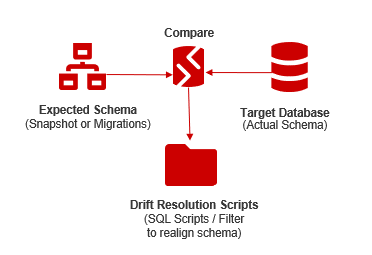
- Compares the target database schema to the expected schema defined by your migrations or a snapshot of your database that was taken after the last deployment.
- Identifies differences.
- Generates SQL scripts and a filter file that resolve those differences.
- Outputs the resolution scripts for your review
A worked example
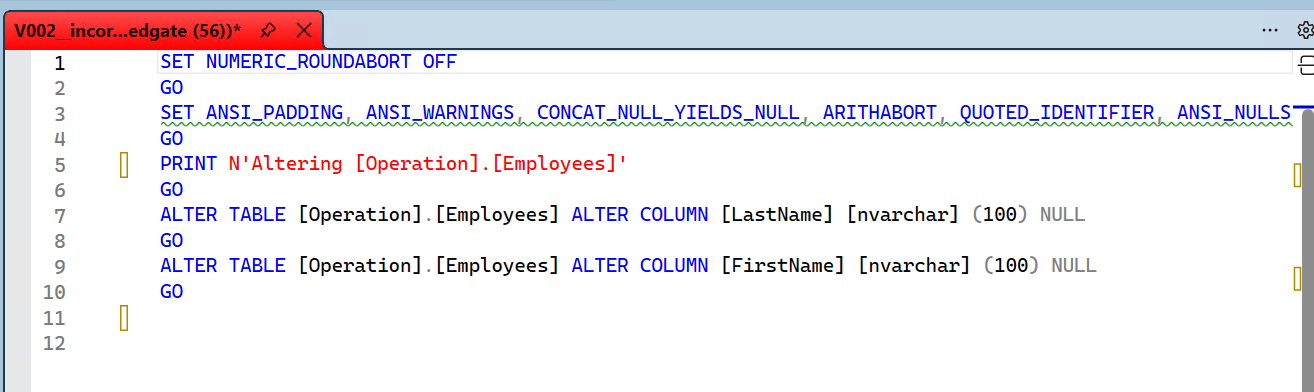
Suppose the size of two columns were changed in Production during a high priority support investigation. Your expected schema, whether defined by a snapshot or the applied migration scripts, does not include it.
Running flyway check -drift before deploying to a target will:
- Check for drift
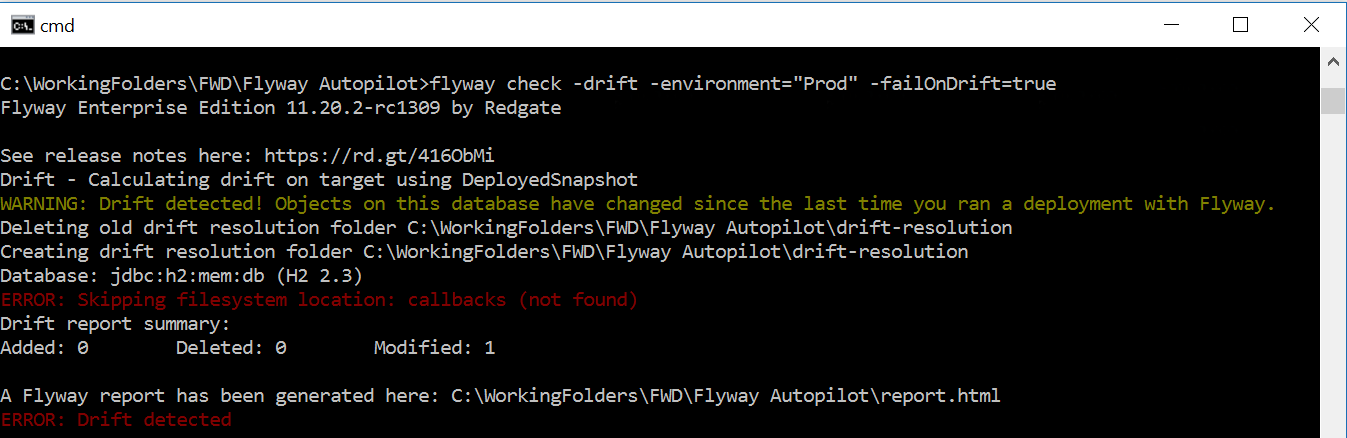
- If drift is found
- Give you a report with the number of objects that have drifted and allow you to drill into these objects to see a side-by-side diff between what was expected and what is actually in the target database.
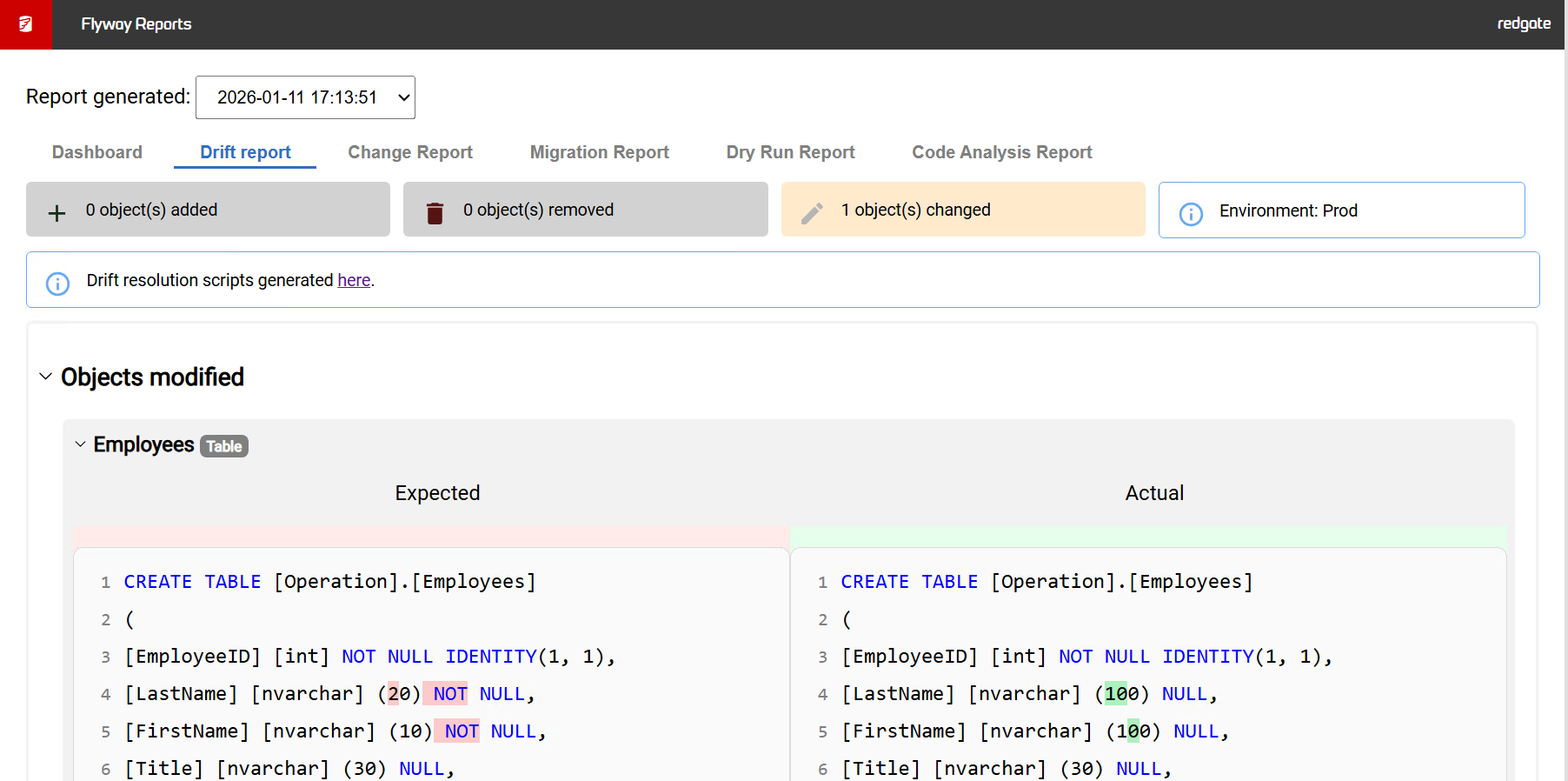
Example Drift Report: two columns’ sizes have changed in Production.
-
- Generate the drift resolution scripts and an example filter file as described above.
A link to the resolution scripts is included at the top of the report.
- Generate the drift resolution scripts and an example filter file as described above.
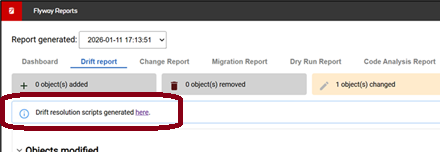
Clicking the link will show you the files:
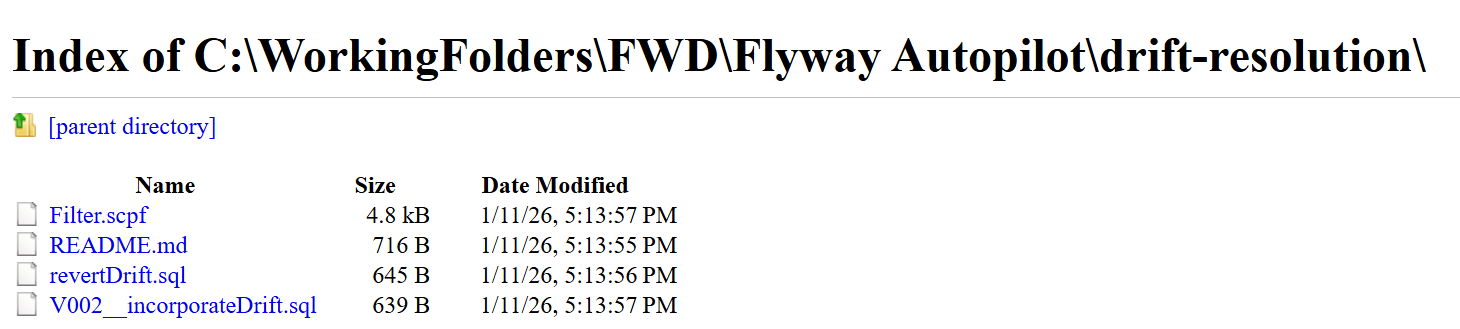
Opening the incoporateDrift.sql file contains the SQL to apply this to your other environments to realign them.
-
- Optionally, stop an automated release process
You can then decide what to do about the drift to get your environments re-aligned so there isn’t this difference. For more details, see our tutorials in our documentation site.
Summary
Flyway’s drift detection is an important part to ensure database releases go smoothly. Now if drift is detected, Flyway can help you resolve the issue quickly and get your releases flowing again. By pairing drift detection with a clear, actionable resolution, Flyway makes it easier to keep environments aligned and deployments consistent.
This document contains proprietary information and is protected by copyright law.
Copyright © 2026 Red Gate Software Limited. All rights reserved
Tools in this post
You may also like

Blog
Every change has a story: introducing Object Level History in Flyway Desktop

Blog
Redgate Flyway’s Product Updates – May 2026
Blog
Loading comments...