


Build vs Buy in the Age of AI
Every DBA has a toolbox they trust that often includes a folder of scripts refined over a decade, mostly a handful of DMV queries. These queries answer "what's slow right now" faster than any dashboard, and a working knowledge of the environment that took years to build. So, when a new AI tool promises to answer the same questions in plain English, the first reaction is usually suspicion rather than excitement.
That suspicion should be expected, but it also means a lot of DBAs are making an unspoken decision without really weighing in and kicking the tires. There’s a comfort to stick with what you know and build, vs. letting something else take over. It’s part of the build-vs-buy decision, and with any around-tooling choice, it deserves a real investigative discussion.
Ways AI shows up in our day
Right now, most DBAs encounter AI in several, standard forms, but for most of us, we are still bypassing AI for our trusty scripts that report on blocking chains, a query that surfaces the top wait types, or a runbook for what to check when CPU spikes. AI hasn't touched any of it, and for many routine, well-understood problems, it doesn't need to. If you can already answer the question in fifteen seconds with a script you trust, that's still the fastest and safest approach.
A general-purpose AI assistant is the most common way we are using AI in this brave, new world. We DBAs are increasingly pasting in an execution plan, a slow query, or an error message into a chatbot and ask for assistance. This can be useful for explaining unfamiliar syntax, drafting an initial index strategy, or working through a design problem. But a general-purpose model has no access to the environment. It doesn't know the volumes of data, actual wait stats, alert history, or what "normal" looks like on the server day-to-day. It works from the text provided and from general patterns, and it may give a confident answer even when it lacks context that would change the result. These three ways can make a huge difference in how AI responds vs. how we might to the situation.
So, when AI is built into a tool you already use to monitor or manage your estate, this is a different category, and it works differently than the general-purpose AI assistant. Instead of copying information from a monitoring tool into a chat window, you ask the question inside the tool. It already has access to the metrics, alerts, query history, and execution plans it needs. You don't have to explain your environment again because the relevant data is already there.
Why this new category matters
The difference between these options is the information available to the model. A general-purpose assistant is only as useful as what you paste into it. Providing a full picture of a production incident, including metrics, alert history, several query plans, and recent changes, is slow and easy to get wrong. You still have to gather all that data yourself, and the AI only sees the summary you provide.
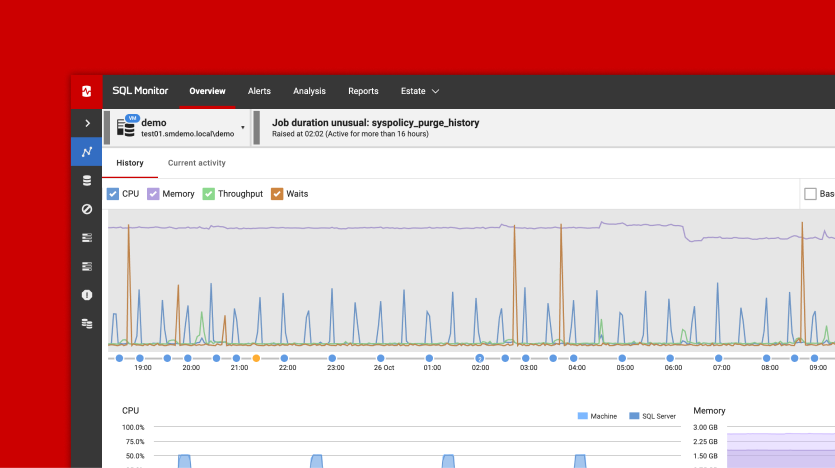
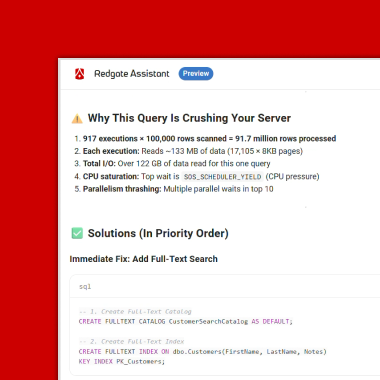
Redgate Assistant, built into Redgate Monitor, is one example of an AI built into a database tool. Because it runs inside Monitor, you can ask, "Why did SQL Server response times spike on this instance around 2 p.m.?" It can use the metrics, alerts, waits, and execution plans that Monitor already holds for that server. You don't have to search through several screens and collect the evidence first. The advantage isn't a smarter model but having the right information available to start with. If an organization prefers to connect with their own AI assistant, it can be done using the Monitor MCP Server, which provides read-only access to the same metrics, alerts, and query information.
The most useful question is simple: does the AI rely only on what you type, or can it use relevant data that is already available in the tool?
The simple decision framework
Before adding a new AI feature or tool to your workflow, ask four questions, you should consider four questions:
- Does it already know my environment, or do I have to explain it every time?
If you must describe your schema, baseline metrics, or incident history in every conversation, most of the preparation still falls to you and continues to add to your workload, not make you more productive. Tools that can use your existing monitoring or observability data removes that extra work.
- Can I check its answer?
An AI answer that cannot be verified is a risk, not a shortcut and we all know how much time we can consume double-checking AI. A useful AI feature shows the metric, alert, or query plan behind its answer so you can review the evidence yourself.
- Does it make changes, or only provide information?
Read-only advice carries far less risk than an AI connected to tools that can change your environment. Be clear about which type you are using and respect the reason that boundary is there.
- Has my organization chosen to enable it, and where does the data go?
Features that are enabled by default or are vague about data handling deserve more scrutiny. Prefer tools that require clear organizational approval and explain how submitted information is used.
Your scripts aren’t obsolete but are the baseline
None of this means you should replace your existing tools. Your scripts reflect years of experience with what "normal" looks like in your environment, and no AI feature can replace that judgment. What it can do is reduce the routine data gathering that often takes up the first twenty minutes of an investigation, which is a real time-saver. If it works well inside a tool, you already trust, then you can spend more time on diagnosis and less time collecting information. You still decide what the data means and what to do next, which is what you do best.
The build-vs-buy question isn't going away, but AI built into existing tools simply adds another option to consider.
This document contains proprietary information and is protected by copyright law.
Copyright © 2026 Red Gate Software Limited. All rights reserved
Tools in this post
You may also like

Article
Build vs Buy in the Age of AI
Every DBA has a toolbox they trust that often includes a folder of scripts refined over a decade, mostly a handful of DMV queries. These queries answer “what’s slow right now” faster than any dashboard, and a working knowledge of the environment that took years to build. So, when a new AI tool promises to answer the same questions in plain English, the first reaction is usually suspicion rather than excitement. That suspicion should be expected, but it also means a lot of DBAs are making an unspoken decision without really weighing in and kicking the tires. There’s a comfort
Article
Redgate Assistant and the path to Autonomous Operations
Ask an AI assistant to explain why a query is running slowly and it can help a database professional reach an answer faster. Give that same assistant the ability to change the database and the stakes change. The closer AI gets to taking action, the greater the consequences of incomplete context, inappropriate access or an incorrect decision. AI adoption in database management is already accelerating. Redgate’s 2026 State of the Database Landscape research found that 44% of organizations now use AI for database management, compared with 15% a year earlier. The value is becoming clearer too. Among organizations already using
Loading comments...