Security and compliance
Ensure data security and compliance with monitoring and change traceability
Ensure data security and compliance with monitoring and change traceability
Monitor and understand your databases with full visibility into performance and change
Build, test, and deploy database changes with confidence
Simplify and speed up database development workflows
Prepare reliable data foundations for AI initiatives
Simplify and secure database modernization across platforms
Control costs and boost efficiency in database operations
Simplify and speed up cloud database transformation
For many projects, a combination of ASP.NET, Azure Web Roles, and Azure SQL Database provides a great way to build highly scalable, data-heavy applications, without having to worry about any of the underlying infrastructure. In this walkthrough we'll take a look at profiling such an application.
I have a simple ASP.NET Web API app used to provide a backend for a mobile warehouse management system. As well as running on Azure itself, during development you can run these applications locally on the Azure Emulator, DFService.exe
The first thing we need to do is start the Azure compute emulator from ANTS Performance Profiler.
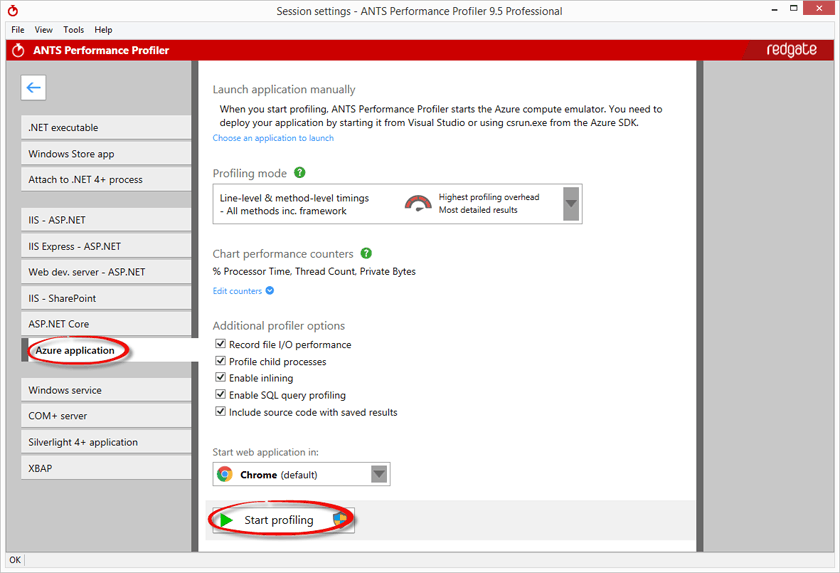
This will launch DFService.exe with the profiler attached.
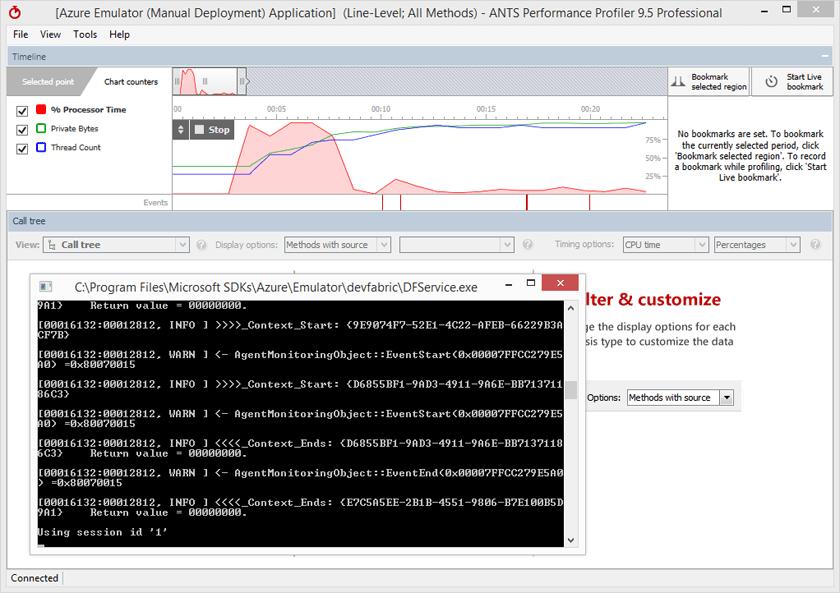
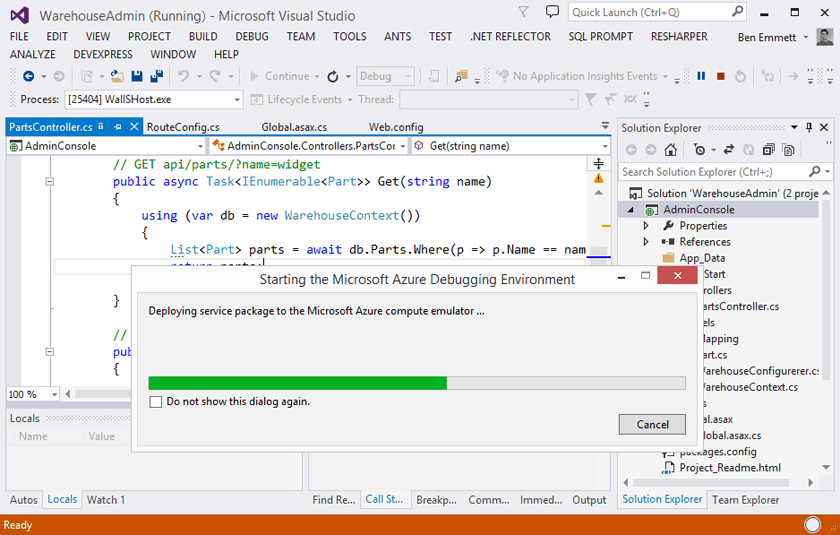
Next, in Visual Studio, we hit F5 to debug the application. This will deploy our application to the running instance of DFService.
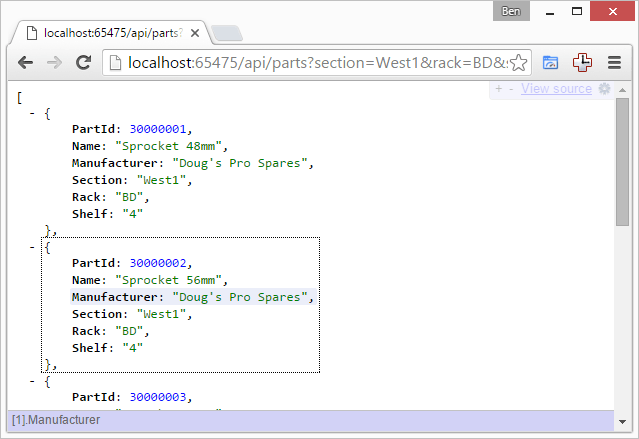
We can make a few requests from a web browser to simulate the app hitting the API, or alternatively run any automated tests we have.
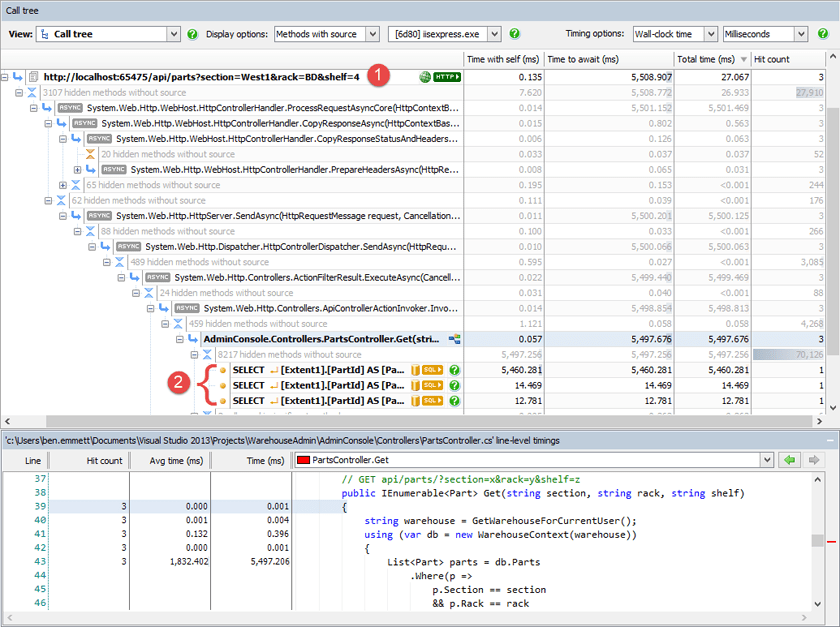
Switching back to ANTS Performance Profiler, we see the three requests we made – (1) below – as well as the code that executed as a result. Web API is heavily based around Async, so ANTS Performance Profiler automatically switches to its Async-aware profiling mode to show how the Async code is executing.
Lower down the call tree, we can see three SQL queries – (2) below.
Finally, in the bottom section of the screen, we can see the code for the selected method, along with hit counts and timings for each line. We're using Entity Framework (EF), and the queries we see are run by EF to retrieve the required data.
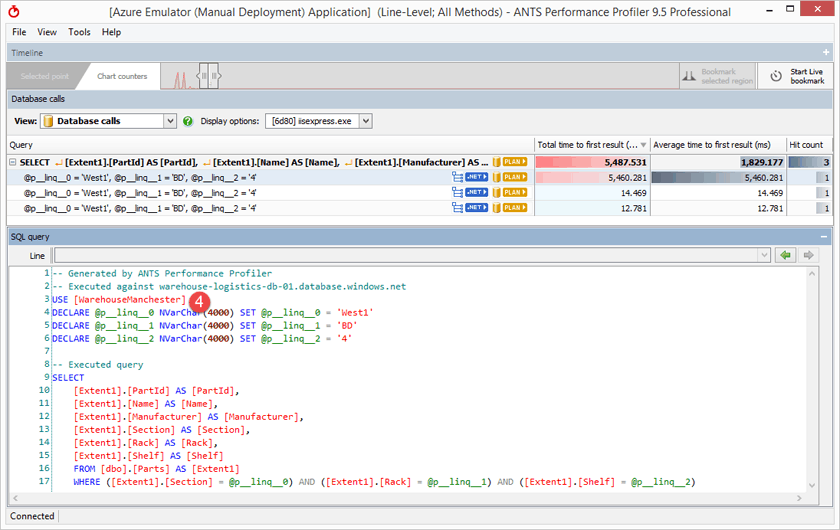
One of the queries is noticeably slower than the others, taking nearly 5.5 seconds instead of 12–14ms. When we select it by clicking the yellow SQL button, we see more details about those queries, including their parameters.
The queries are identical, except that they are each executed against different databases. The slow query is executed against WarehouseManchester – (4) below – while the other queries are run against WarehouseCambridge and WarehouseBristol.
This application uses Azure SQL Database with a separate database for each warehouse it manages. This is a pretty common pattern – it's a really appealing way to build multitenant apps to isolate different customers' data, or scale them separately. As an aside, if you're doing something similar, it might be worth looking at elastic database, released in 2015, which lets multiple databases share pooled resources.
To see why this query is slow, we can select the yellow Plan button.
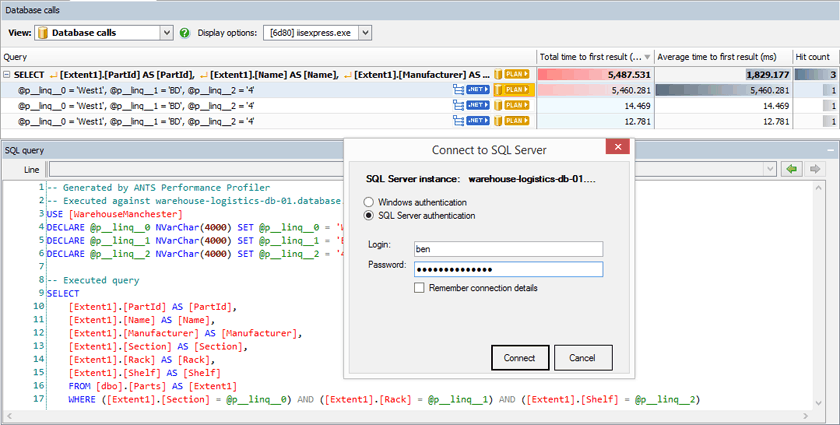
After we put in credentials, ANTS Performance Profiler will fetch and display an execution plan from the database. You can read about the new support for Azure SQL Database and QueryStore in my previous post.
Most of the query cost is associated with a Table Scan operation, and if we look at its properties, we see a Table Cardinality of a little over 30M – that is, 30 million rows from the table have been read in order to run our query.
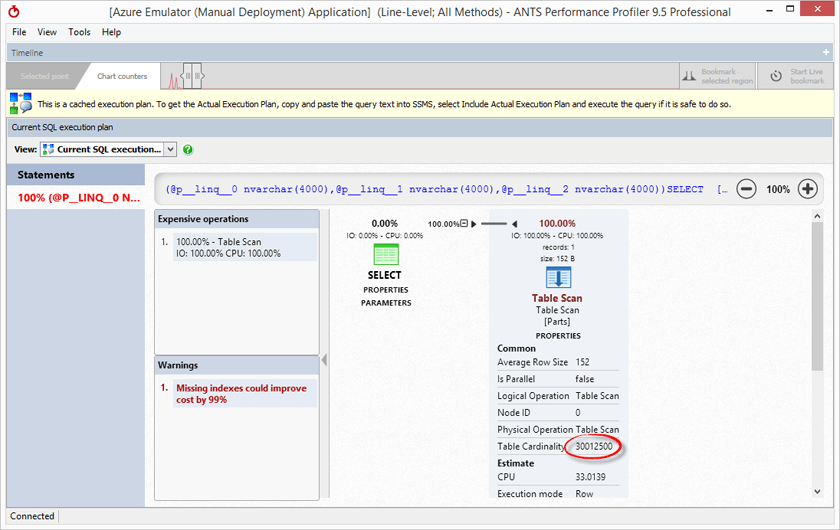
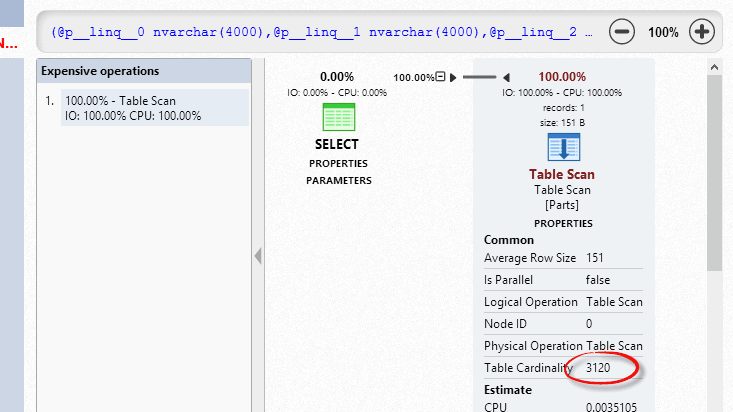
If we compare WarehouseManchester's plan with the plan from the query running against WarehouseBristol, we see a much lower table cardinality. Only a few thousand rows are being scanned in this case. The volumes of data are vastly different. This is pretty common. One of the reasons for having separate databases for each Warehouse was that we expected they might experience different usage levels and need to scale separately.
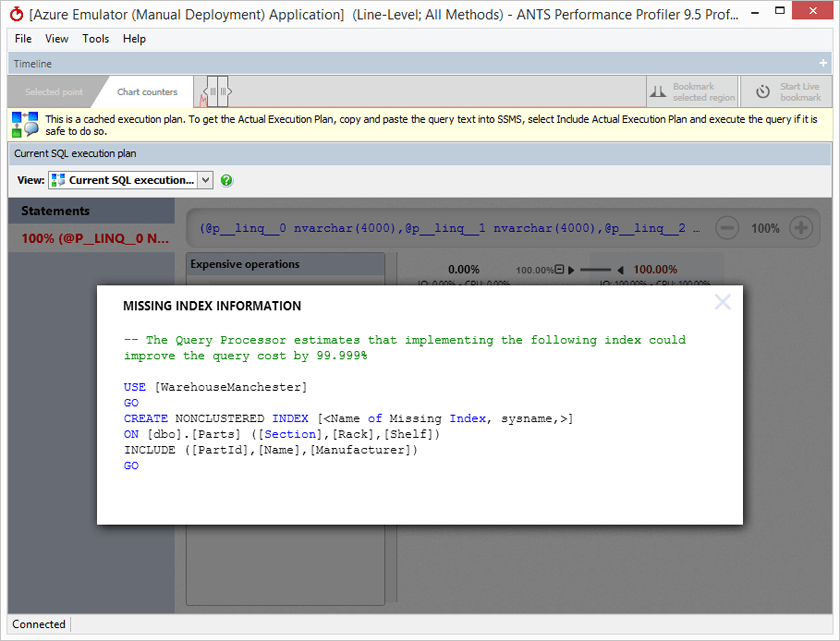
There are some different things we can do here. First, for the slower query, ANTS Performance Profiler presented a red warning that a missing index would probably improve query performance. We can click that to see that index's CREATE script.
More complex performance problems might be more time-consuming to understand – one of the great benefits of using Azure SQL Database is that for very little money you can just temporarily scale up the database performance.
All these databases are normally running on the Basic (B) tier, with 5 DTUs. In a few clicks and for only $0.20 per hour, I can scale this database up to a Standard S3 instance with 20x the performance, until I've been able to solve the real problem.
You can try profiling your own Azure application with ANTS Performance Profiler – just download a free 14 day trial.