
Security and compliance
Ensure data security and compliance with monitoring and change traceability
Ensure data security and compliance with monitoring and change traceability
Monitor and understand your databases with full visibility into performance and change
Build, test, and deploy database changes with confidence
Simplify and speed up database development workflows
Prepare reliable data foundations for AI initiatives
Simplify and secure database modernization across platforms
Control costs and boost efficiency in database operations
Simplify and speed up cloud database transformation
How to install your tools and get the most value from the features.

In this course, take a tour of the Redgate Monitor GUI and learn what the tool can do for you.

Redgate Monitor has a variety of AI features that can support you in becoming more proactive and allow you to more efficiently respond to problems in your database estate. In this course, we will cover how to enable AI features in Redgate Monitor and give an introduction to what these features can do to support you.

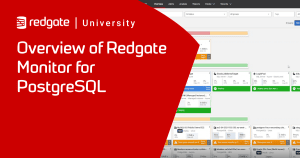
This course, led by Ryan Booz, offers a comprehensive overview of Redgate Monitor's PostgreSQL monitoring features. Ryan covers performance monitoring, alert setup, efficient replication management, and more, providing practical tools for maintaining a healthy PostgreSQL database.

This course provides an introduction to getting started with Redgate Monitor. Throughout these classes, you will gain an understanding of what Redgate Monitor is and learn how to use it effectively. We will guide you through the installation and configuration process, including how to set up multiple base monitors and multiple dashboards.
Enhance your knowledge of Redgate tools with more technical tips, tricks, and troubleshooting.
Tempdb is often the busiest database on an instance. In this course Kathi Kellenberger covers how SQL Server uses tempdb and why it is often a performance bottleneck. Learn what's in tempdb, some of the issues that can arise from tempdb, how to navigate the tempdb section in Redgate Monitor, and other resources to help you resolve issues.
Once you are up and running with Redgate Monitor you can get some more advanced tips from Grant in this course. Learn to tune alerts, set up custom metrics, find community metrics and automate the tuning of alerts with Powershell API.
Once you have watched our basic courses you can advance on to this course where Kathi Kellenberger goes into more detail about Extended Events.
Redgate Monitor is going to do a great job of keeping an eye on your SQL Server instances. However, it is possible for things to go wrong. When they do, knowing how to track down and retrieve the logs is important. This video shows you how to get that job accomplished.



