
Security and compliance
Ensure data security and compliance with monitoring and change traceability
Ensure data security and compliance with monitoring and change traceability
Monitor and understand your databases with full visibility into performance and change
Build, test, and deploy database changes with confidence
Simplify and speed up database development workflows
Prepare reliable data foundations for AI initiatives
Simplify and secure database modernization across platforms
Control costs and boost efficiency in database operations
Simplify and speed up cloud database transformation
Redgate Monitor's roadmap continues its direction as a multi-platform, cloud-ready monitoring solution, with AI-assisted troubleshooting now in public preview. Recent releases have deepened PostgreSQL and cloud coverage and brought the Enterprise feature set to SaaS, with regulation-aligned configuration compliance and a richer Data Access API ahead.
To give an estate-wide overview of your databases, regardless of size or location, with fast deep-dive analysis to diagnose and resolve issues.
To empower you to monitor and optimize your entire multi-platform database estate. Providing instant problem diagnosis, intelligent and customizable alerting, and a single pane of glass that keeps pace with your growth.
Chat with Redgate Assistant, our purpose-built AI, right inside Monitor. Ask a question about your estate, get a plain-language answer grounded in your actual environment.
Connect your Monitor data to Claude or any AI assistant your team already uses.
See each instance’s current values against recommendations for the settings that matter most, or pivot to a single parameter and see how it’s set across every server.
Give security, compliance and audit teams read-only access to the Security pages without opening up the wider monitoring estate.
Get alerted when login attempts against a monitored server pass a threshold you set, so you find out while it’s happening rather than in a log review afterwards.
Run Monitor in a Docker container, using the Base Service and Website images published on Docker Hub.
Per disk detail for space used, capacity, IOPS and throughput, giving a complete picture of your VM estate right down to the individual disk
Allow DBAs to monitor Cloud SQL (SQL Server & PostgreSQL) databases in monitor in a similar method to our other DBaaS offerings
Get the Monitor Enterprise feature set in the fully managed SaaS edition, with the exception of the Data API and sensitive action log.
Query performance can now be analyzed over time using wait statistics and other execution metrics
Set up continuous configuration checks against certified templates covering SQL Server 2019 to 2025, with out-of-the-box checks and suggested fixes.
Make it easier to configure monitor at scale, without having to duplicate setting up alerts and custom metrics for each base monitor
More complete data, and more easily consumable from other systems.
Using data held by Monitor to suggest AWS target, blockers and potential costs for migrating a SQL server workload to the Cloud.
Bring PostgreSQL instances running on AlloyDB into the same view as the rest of your estate.
*Redgate Monitor Enterprise edition only. Identified in “What’s New” and “In development” sections only.
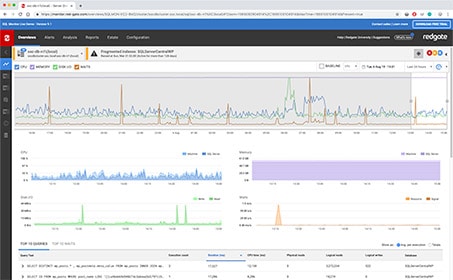
Live demo
See Redgate Monitor in action right now, with real-time performance of our demo SQL Servers.
Try now
Get started
This course takes you from installation and configuration, all the way up to getting the most out of the advanced features in Redgate Monitor to help you proactively monitor your database estate. Learn how to explore in-depth issues in your environment, run an analysis, manage alerts, create custom metrics, and more.
Get startedWhether you want more details about Redgate Monitor, a demo or information on best practices – get in touch with us.

Redgate has specialized in database software for over 25 years. Our products are used by 92% of the Fortune 100. 200,000 customers rely on Redgate worldwide.

Redgate offers comprehensive documentation and a friendly, helpful support team. An average 87% of customers rate our support 'Excellent'.




