Sicherheit und Compliance
Gewährleisten Sie Datensicherheit und Compliance mit Monitoring und Änderungsnachverfolgung
Gewährleisten Sie Datensicherheit und Compliance mit Monitoring und Änderungsnachverfolgung
Überwachen und verstehen Sie Ihre Datenbanken mit vollständiger Transparenz über Performance und Änderungen
Datenbankänderungen sicher erstellen, testen und bereitstellen
Datenbankentwicklungsprozesse vereinfachen und beschleunigen
Zuverlässige Datengrundlagen für KI-Initiativen vorbereiten
Plattformübergreifende Modernisierung von Datenbanken vereinfachen und absichern
Kosten steuern und Effizienz im Datenbankbetrieb erhöhen
Transformation von Cloud-Datenbanken vereinfachen und beschleunigen

IT services and consulting company
Monitoring many varied estates and establishing effective, meaningful and customizable alerts for each of them
A single monitoring tool that can meet wide-ranging demands
Be alerted to issues before they become problems, and drill down to why they occurred so that they can be resolved
xTEN offers remote DBA and advanced database development services to a wide range of clients. Established in 2014, it helps companies like Estée Lauder and major names in the travel industry improve their business performance by increasing the return on investment of existing IT systems and developing innovative and cost-effective solutions.
Their Managing Director has nearly two decades of experience as a DBA and, alongside the team of DBAs and developers at xTEN, helps companies optimize and modernize their SQL Server estates to improve performance, scalability and stability.
“Our service goes beyond simply looking after servers and monitoring alerts. We have an ownership mentality and a desire to make sure problems are fixed – and the root causes of those problems are fixed as well to stop them happening again. That’s how we work.”
Effective, meaningful monitoring plays a large part in this approach.
 60+ yearscombined experience in SQL Server1200managed databases10+ yearsworking with redgate
“You can’t have servers that aren’t monitored. That’s just bonkers, especially when someone says: ‘We had a slowdown yesterday, what was it?’”
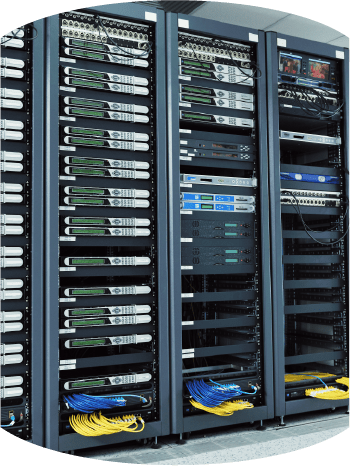
For xTEN, no day is a normal day. Its clients have environments ranging from Rackspace to Azure, AWS to on-premises SQL Servers, and many have huge server estates where uptime is crucial to their business. A common requirement for every client is the need to monitor their servers, be alerted to any issues, and be able to drill down to the cause in order to be able to fix it before it becomes a major problem.
“We come from the old school DBA world of writing your own stuff for everything. Then we found Redgate Monitor and it was a revelation.”
While the DBAs and developers at xTEN are highly skilled at database development and accustomed to writing scripts to monitor databases, the size and variety of environments of the estates they manage made this impractical. Generally, manual monitoring is more common in companies with under 100 employees, fewer than ten servers, or where they deploy database changes only a few times a year.
For larger estates where there are likely to be different versions and editions of SQL Server, as well as instances in the cloud, it saves time and resources to use a third-party monitoring tool. When they found that the monitoring solution he was using wasn’t giving him the granularity or the historic data he really needed, he looked for alternatives.
He had been using Redgate’s database development solutions for over ten years, so it was a natural next step to see if Redgate Monitor could help the team with monitoring.
“The alerting is really helpful, being able to filter out the noise and get exactly what we need.”
The team soon saw that Redgate Monitor would help them remove the heavy lifting of data collection and management, analyze the data, and provide at the top level an easy-to-digest picture of activity and any issues across their monitored servers.
Importantly, it would do so for servers and databases which are on-premises, in the cloud, and on virtual machines, while also supporting Windows failover clusters, TempDB, Azure SQL Database Elastic Pools and Managed Instances. So whatever the size or complexity of a client’s estate, xTEN could use the same monitoring solution.
For them, however, the biggest issue in monitoring is the alerts that any solution provides. It might be valuable to know if disk space on a server is running low, for example, but if the issue doesn’t need to be resolved immediately, it’s not an alert, it’s logging.
The problem is that if a monitoring solution sends out constant alerts that are not actually a problem, no one will do anything about them. Too often, this results in people having a mailbox full of all kinds of alerts and it becomes background noise rather than actionable information.
Redgate Monitor resolves this issue by coming preconfigured with over 55 fully customizable alerts for the most important operational and performance issues. If additional metrics are required, it also allows bespoke alerts to be created and added to the list.
“There are quite a few instances where we get alerts to our phones, and we can see that things are starting to go wrong and fix it before it does.”
What particularly interested the team was that alert notifications can be set up to come through email, Slack, PagerDuty or SNMP traps. This has enabled xTEN to use the Slack integration to create dedicated Slack channels for different clients and the team members who are responsible for supporting those clients.
Getting the right alerts the moment an issue arises is just one advantage, however. Another is being able to respond to it quickly and effectively. The aim is to stabilize servers as soon as possible – and fix the root cause so it doesn’t happen again.
“The alerting is really helpful, being able to filter out the noise and get exactly what we need.”
While this would be the same for any business, the difference for xTEN is that they support hundreds of databases with many different configurations and set ups. The monitoring solution therefore needs to provide clear, concise and accurate information they can act on.

“Every alert should provoke a reaction within your team. If you do that from the start, what you’ve got is something that’s really valuable and useful.”

During normal work hours, the team members at xTEN receive emails from Redgate Monitor when alerts are triggered. In the evenings and at weekends, the twin alerts through Slack are a useful and immediate way of keeping team members informed about issues.
This is where the monitoring dashboard, baselines and historical views that Redgate Monitor provides come into play. Rather than presenting a wall of numbers, the dashboard provides simple, visual features such as a timeline that makes it easy for any user to see resource usage (CPU, IO, memory, disk space and so on), patterns for an instance over the recent period, and where on the timeline any alerts occurred, as well as any system changes (such as a deployment).
It also displays graphs and top-level summaries of other useful diagnostic data for each SQL instance, for the period under investigation, such as when an alert was raised. This data might, for example, indicate what queries were being executed in that period, how long they took to run, the main reasons why SQL Server requests were forced to ‘wait’ before starting or continuing processing, and more.
For the team at xTEN, this provides the granularity that is really needed to identify what happened, when it happened, and then drill down to find out why it happened. As the Managing Director concludes:
“Redgate Monitor enables us to fix problems first time around, so they don’t happen again. It’s very focused and it’s not a big wide catch where you just monitor everything to try and get more information.”
whitepaper
In this guide, we take you through the ways a robust SQL Server monitoring solution has a positive impact across your organization, from the development teams to IT management, and from finance to the C-suite.
ROI guide
See how much you and your company could save by monitoring your servers with SQL Monitor – it only takes a few minutes.
IT services and consulting company
Monitoring many varied estates and establishing effective, meaningful and customizable alerts for each of them
A single monitoring tool that can meet wide-ranging demands
Be alerted to issues before they become problems, and drill down to why they occurred so that they can be resolved
“You can’t have servers that aren’t monitored. That’s just bonkers, especially when someone says: ‘We had a slowdown yesterday, what was it?’”
xTEN offers remote DBA and advanced database development services to a wide range of clients. Established in 2014, it helps companies like Estée Lauder and major names in the travel industry improve their business performance by increasing the return on investment of existing IT systems and developing innovative and cost-effective solutions.
Their Managing Director has nearly two decades of experience as a DBA and, alongside the team of DBAs and developers at xTEN, helps companies optimize and modernize their SQL Server estates to improve performance, scalability and stability.
“Our service goes beyond simply looking after servers and monitoring alerts. We have an ownership mentality and a desire to make sure problems are fixed – and the root causes of those problems are fixed as well to stop them happening again. That’s how we work.”
Effective, meaningful monitoring plays a large part in this approach.
“The alerting is really helpful, being able to filter out the noise and get exactly what we need.”
For xTEN, no day is a normal day. Its clients have environments ranging from Rackspace to Azure, AWS to on-premises SQL Servers, and many have huge server estates where uptime is crucial to their business. A common requirement for every client is the need to monitor their servers, be alerted to any issues, and be able to drill down to the cause in order to be able to fix it before it becomes a major problem.
“We come from the old school DBA world of writing your own stuff for everything. Then we found Redgate Monitor and it was a revelation.”
While the DBAs and developers at xTEN are highly skilled at database development and accustomed to writing scripts to monitor databases, the size and variety of environments of the estates they manage made this impractical. Generally, manual monitoring is more common in companies with under 100 employees, fewer than ten servers, or where they deploy database changes only a few times a year.
For larger estates where there are likely to be different versions and editions of SQL Server, as well as instances in the cloud, it saves time and resources to use a third-party monitoring tool. When they found that the monitoring solution he was using wasn’t giving him the granularity or the historic data he really needed, he looked for alternatives.
He had been using Redgate’s database development solutions for over ten years, so it was a natural next step to see if Redgate Monitor could help the team with monitoring.
“Every alert should provoke a reaction within your team. If you do that from the start, what you’ve got is something that’s really valuable and useful.”
The team soon saw that Redgate Monitor would help them remove the heavy lifting of data collection and management, analyze the data, and provide at the top level an easy-to-digest picture of activity and any issues across their monitored servers.
Importantly, it would do so for servers and databases which are on-premises, in the cloud, and on virtual machines, while also supporting Windows failover clusters, TempDB, Azure SQL Database Elastic Pools and Managed Instances. So whatever the size or complexity of a client’s estate, xTEN could use the same monitoring solution.
For them, however, the biggest issue in monitoring is the alerts that any solution provides. It might be valuable to know if disk space on a server is running low, for example, but if the issue doesn’t need to be resolved immediately, it’s not an alert, it’s logging.
The problem is that if a monitoring solution sends out constant alerts that are not actually a problem, no one will do anything about them. Too often, this results in people having a mailbox full of all kinds of alerts and it becomes background noise rather than actionable information.
Redgate Monitor resolves this issue by coming preconfigured with over 55 fully customizable alerts for the most important operational and performance issues. If additional metrics are required, it also allows bespoke alerts to be created and added to the list.
“There are quite a few instances where we get alerts to our phones, and we can see that things are starting to go wrong and fix it before it does.”
What particularly interested the team was that alert notifications can be set up to come through email, Slack, PagerDuty or SNMP traps. This has enabled xTEN to use the Slack integration to create dedicated Slack channels for different clients and the team members who are responsible for supporting those clients.
Getting the right alerts the moment an issue arises is just one advantage, however. Another is being able to respond to it quickly and effectively. The aim is to stabilize servers as soon as possible – and fix the root cause so it doesn’t happen again.
“The alerting is really helpful, being able to filter out the noise and get exactly what we need.”
While this would be the same for any business, the difference for xTEN is that they support hundreds of databases with many different configurations and set ups. The monitoring solution therefore needs to provide clear, concise and accurate information they can act on.
During normal work hours, the team members at xTEN receive emails from Redgate Monitor when alerts are triggered. In the evenings and at weekends, the twin alerts through Slack are a useful and immediate way of keeping team members informed about issues.
This is where the monitoring dashboard, baselines and historical views that Redgate Monitor provides come into play. Rather than presenting a wall of numbers, the dashboard provides simple, visual features such as a timeline that makes it easy for any user to see resource usage (CPU, IO, memory, disk space and so on), patterns for an instance over the recent period, and where on the timeline any alerts occurred, as well as any system changes (such as a deployment).
It also displays graphs and top-level summaries of other useful diagnostic data for each SQL instance, for the period under investigation, such as when an alert was raised. This data might, for example, indicate what queries were being executed in that period, how long they took to run, the main reasons why SQL Server requests were forced to ‘wait’ before starting or continuing processing, and more.
For the team at xTEN, this provides the granularity that is really needed to identify what happened, when it happened, and then drill down to find out why it happened. As the Managing Director concludes:
“Redgate Monitor enables us to fix problems first time around, so they don’t happen again. It’s very focused and it’s not a big wide catch where you just monitor everything to try and get more information.”
This document contains proprietary information and is protected by copyright law.
Copyright © 2026 Red Gate Software Limited. All rights reserved
Für weitere Informationen über Redgate Monitor, eine Demo oder Best Practices nehmen Sie gern Kontakt mit uns auf.

Seit mehr als 25 Jahren entwickelt Redgate spezialisierte Software für Datenbanken. 92 % der Fortune-100-Unternehmen setzen auf unsere Lösungen. Insgesamt vertrauen uns über 200.000 Kunden weltweit.
Redgate bietet eine umfassende Dokumentation und ein kompetentes, engagiertes Support-Team. Im Schnitt bewerten 87 % unserer Kundinnen und Kunden unseren Support mit „Ausgezeichnet“.