Automate SQL changes during deployments
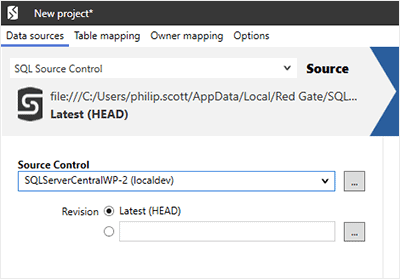
Pre & Post deployment scripts can make SQL changes before and after your deployments. These scripts are managed within SQL Source Control to then be picked up when deploying with other Redgate products.
Learn more about pre & post deployment scripts.
Version control at your fingertips inside SQL Server Management Studio
It's easy to record and share your code changes, because SQL Source Control runs inside SQL Server Management Studio.
You don't have to stop what you're doing or pass round handwritten change scripts.
Version control your schemas and reference data
Store and share any SQL Server object and static data. Committing and updating takes two clicks in the Object Explorer.
To see what’s new, you can check changes down to the individual lines of SQL, with highlighted differences.
View a full history of changes
Look through the full revision history of a database or database object.
You can see who made the changes, when they made them, and why.
Handles referential integrity for you
When you commit or update, SQL Source Control maintains the referential integrity of your database for you.
It works out the right order for your changes and even deals with keys and constraints.
It uses the same engine as SQL Compare, the world’s most trusted tool for syncing database changes.
Push and pull Git repos
Synchronize your local and remote Git repositories inside Management Studio.
Pull down changes from your remote repository, commit your changes locally, and push straight them to your remote repository to share with the rest of your team.
Watch the video.
Roll back any changes you don't want
It's simple to roll back and resolve conflicts from the Object Explorer.
This also gives you a risk-free sandbox. If you want to experiment on your database, go ahead. You can undo any changes you don't want to keep.
Lock objects you're working on
You can lock the object you're working on in SQL Server Management Studio with just one click, so your changes are safe from being overwritten.
Your team can see what's locked, as well as information on who locked it.
Read more about locking in this blog post or watch the video.
Work on a central database or your own local copy
You and your team can work on a shared database or each use a local, dedicated copy.
SQL Source Control supports both models for database development.
Either way, it helps you share code, avoid conflicts, and see who’s doing what, so you can work without treading on each other’s toes.
Exclude objects with filters
If you don't want to share certain objects, such as users or permissions, you can exclude them with filters.
You can exclude objects by type, name, and owner, or specify more complex conditions.
It's simple to share only what you want with your team.
See what's changed, with icons
Icons in the Object Explorer show you when a change has been made to a database by you or your team.
You'll never forget to commit to version control.