Security and compliance
Ensure data security and compliance with monitoring and change traceability
Ensure data security and compliance with monitoring and change traceability
Monitor and understand your databases with full visibility into performance and change
Build, test, and deploy database changes with confidence
Simplify and speed up database development workflows
Prepare reliable data foundations for AI initiatives
Simplify and secure database modernization across platforms
Control costs and boost efficiency in database operations
Simplify and speed up cloud database transformation
Add-in for SQL Server Management Studio & Visual Studio
Save time and effort from day one with the original SQL code completion tool, loved by the SQL Server community for nearly 20 years.

Writing SQL can be time-consuming, repetitive and frankly dull. SQL Prompt changes that. It works alongside you to make your SQL coding fast, accurate and effortless, whether your SQL Server databases are on-premises, in the cloud, or both.
SQL Prompt enhances SSMS and Visual Studio by automatically completing, analyzing and fixing your code, as well as taking care of formatting, refactoring, and query history. Best of all, it’s ingeniously simple to use, so you can get started in minutes.
Download free trial1 Year Subscription
Write SQL up to 50% faster and win time back in your day. SQL Prompt speeds up coding by auto-completing your code with valid, context-aware suggestions. Say goodbye to repetitive typing with customizable code snippets and comprehensive query history.
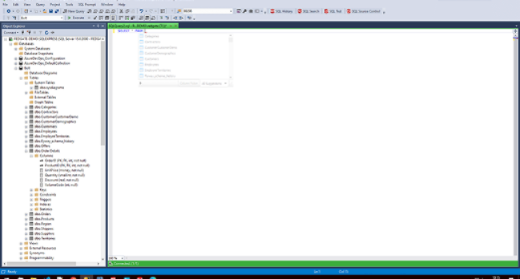
Avoid last-minute rework by writing error-free code by default. Smart code completion reduces syntax errors, while real-time code analysis and auto-fixes debugs code. Tab coloring helps keep your changes in the right environment, and refactoring helps you to confidently optimize your queries, code objects and databases.
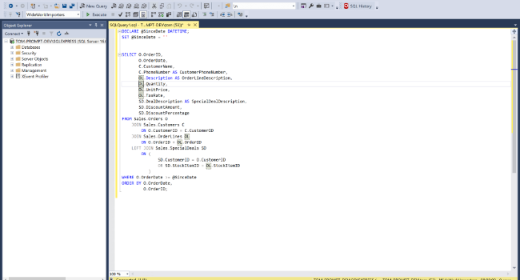
With SQL Prompt, you don’t have to worry about structuring your code as you write it. Simply write SQL your own way and use a shortcut to format your code into a team standard instantly. Same applies for reformatting legacy code, just press CTRL+K+Y to improve readability.
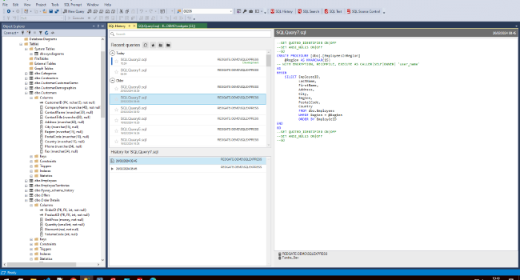
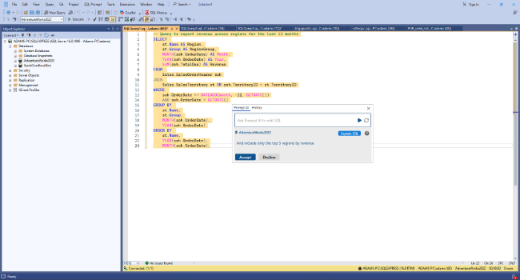
SQL Prompt includes optional AI-powered features designed to support your workflow. Write or modify queries using natural language, get clear explanations for unfamiliar code, and fix and optimize SQL with ease—all without leaving SSMS.
Use predefined styles, or create and share your own with the full formatting options in SQL Prompt.
or press Ctrl+Enter
Effortlessly format your code to match your team's style, or update legacy code for better readability, with just one click or a simple keyboard shortcut (CTRL+K+Y).
Advanced options allow you to fine-tune your formatting styles to get them exactly how you like them, and you can even share them with your team to keep code consistent.
Over 200,000 people rely on Redgate to deliver ingeniously simple software.


I use SQL Prompt constantly. I refuse to work without it. It has become so engrained in muscle memory. Snippets save me so much time. My favorite thing is how it enforces consistency, such that I can take any SQL code written by anyone and format it to be clean and understandable instantly.
Read full reviewI have used SQL Prompt for day-to-day development work in my office. It has been a great experience and a good tool for all the developers. It offers great features like query formatter and code standardization.
Read full reviewSQL Prompt makes my work much easier. I spend a lot less time typing, looking up tables/columns, or performing standard queries. I get so much more done - I can't imagine doing SQL coding without it.
Read full reviewSQL Prompt provides an important set of time-saving features that integrate so well, you would think they should come out of the box with SSMS.
Read full reviewSQL Prompt is a MUST HAVE for an SQL Developer. The amount of time saved from its many capabilities is amazing...
Read full reviewSQL prompt has been a real time-saver and really helps me write more efficiently
Read full review
Not only does it make it faster/easier to write code, it is also great for exploring/understanding new data sets.
Read full reviewI use SQL prompt every day as it slices the amount of development time for tasks… I'm also a stickler for clean and concise code, and SQL Prompt really helps in that endeavour.
Read full reviewThe ease of use and speed at which you can write code is exponentially faster. I'll never NOT use it.
Read full reviewWhen I changed organizations and lost access to SQL Prompt, I immediately decided to purchase it myself.
Read full reviewGartner and Peer Insights™ are trademarks of Gartner, Inc. and/or its affiliates.
All rights reserved.Gartner Peer Insights content consists of the opinions of individual end users based on their own experiences, and should not be construed as statements of fact, nor do they represent the views of Gartner or its affiliates. Gartner does not endorse any vendor, product or service depicted in this content nor makes any warranties, expressed or implied, with respect to this content, about its accuracy or completeness, including any warranties of merchantability or fitness for a particular purpose.
$210 per user, per year
Double coding speed and improve the accuracy of your SQL code.
$1,410 per user, per year
Increase efficiency and code quality throughout your entire SQL Server database development cycle with 11 essential tools.