Database delivery
Many best practices for application development are now accessible to database delivery too.
Here's a short guide to three of them – version control, continuous integration, and automated deployment – and how Red Gate's tools can help.
Database version control
Version control is almost universal in application development. There are good reasons to extend it to database development as well:
- Developers can always access the latest version of database objects
- Team members can easily share or undo schema changes
- You can keep track of who changed what, when, and why
- It's simple to roll back to specific database versions
As well as the advantages during development, there are wider benefits for your business:
- Version control can prevent undocumented changes to your production system
- There's less chance of duplicating or overwriting existing code
- It's easier to coordinate and monitor development progress
Manual workarounds exist for database version control, but Red Gate's SQL Source Control makes the process seamless.
SQL Source Control connects your database to your existing version control systems such as Team Foundation Server, Subversion, Git, Mercurial, and any other system, so you can use them to version your database alongside application code.
It sits inside SQL Server Management Studio, so developers can undo, review, and share changes without leaving their working environment.
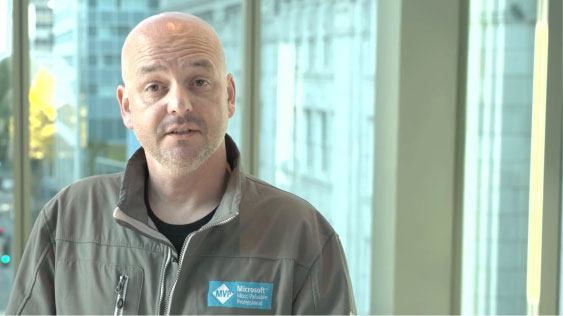
Watch the video for a simple overview, or visit the SQL Source Control product pages to find out more.
We also have a product for Oracle users. To seamlessly connect your Oracle database to your existing SVN or TFS version control system, use Red Gate's Source Control for Oracle.
Database continuous integration
Continuous integration (CI) is the process of ensuring that code and related resources in a development project are integrated regularly and tested by an automated build system.
CI is considered a best practice for three main reasons:
-
Fixing bugs is cheap
Testing changes up-front means you can spot and fix errors early on, so bugs don't have a chance to leave your development environment, let alone make it into production.
-
Collaborating on development is easier
When your code passes the tests, it joins the trunk and becomes available to the entire development team. There's no code waiting to be shared and no painful merges. Instead, everyone can build on each other's work as soon as possible.
-
Your code is always working and up-to-date
Only code that successfully passes tests is shared, so you can rely on the trunk working properly. Because code is integrated immediately, the trunk always represents the most up-to-date version of the database.
Continuous integration for databases involves four processes:
- Ensuring that changes to the development database are in step with changes to your application
- Testing the database creation script
- Testing the database upgrade script
- Testing database code, such as stored procedures, views, and functions
Red Gate's SQL Developer Bundle includes tools that help with all four processes. For full details, read our CI whitepaper.
Whitepaper: Continuous Integration using Red Gate tools
Integrating SQL Server databases into an existing build automation process, such as continuous integration, can be quite a challenge. Discover how Red Gate tools can help, and automate the process.
Download the whitepaper (0.6mb)
Automated deployment
Manual deployments are often painful and time-consuming, for a variety of reasons:
- Success may depend on the expertise of one person, a single point of failure.
- Typically, manual deployment relies on sharing database changes by hand.
- If different versions of your software are in use, each one may need an individual deployment process.
If you miss a deadline, or a deployment goes wrong, releases can become particularly stressful. To guard against damage from a failed deployment, it’s common to deploy in the middle of the night or at the weekend.
The alternative is to automate your deployments, which carries several advantages:
- It's faster, so you can spend more time developing software rather than deploying it.
- Releases are dramatically simpler, so you can ship updates as soon as they’re ready.
- It's easier to coordinate releases to different environments.
Deployment Manager Blog
Read our development blog to learn more about the story, team, and process behind Deployment Manager.
Case study: from healthcare provider StateServ
StateServ, a medical equipment and data provider, began using Red Gate tools for website and database delivery, and can now deploy multiple times a week, pain-free.
Download the case study (1mb)
Whitepaper: Automated deployment using Red Gate tools
Discover the benefits and challenges of automating deployments of applications and databases in a unified way, and find out how Red Gate tools can be used to manage the whole deployment process, leaving you to get on with building the software.
Download the whitepaper (1.2mb)
93% of Fortune 100 companies use Red Gate's software
"Our old deployment process was cumbersome and stressful – now it’s almost fun."
Mattias Geigant, Developer, BEAB
Mattias Geigant, a developer at Swedish firm BEAB, tells us how Deployment Manager saved them from a painful, manual deployment process.
We've contemplated moving away from a predominantly manual, and therefore very error-prone, deployment process for quite some time. After evaluating Red Gate's new product, Deployment Manager, and realizing its potential, we decided to go ahead and buy it.
Currently, we are in the process of applying it to our deployment routine. We've also started using TeamCity for automatic builds.
We've started slow by using it to deploy updates to our test servers, and it's been smooth sailing so far. Our old deployment process was cumbersome and stressful - now it's almost fun to deploy applications!
Soon we'll let DM take over the responsibility for the production environment as well.
Recently, we had to install an urgent bug fix on the production server. Under the circumstances, we decided to concentrate on the bug fix and just use the old deployment process.
And boy, was it a return to the bad old days! We had some familiar frustrations along the way: "But this runs on my development box - what's wrong with the freaking server? Oh, did I miss THAT step in the routine?"
Needless to say, at that point I really missed Deployment Manager.
After this unpleasant reminder of the trials of the past, we'll finish moving to the new deployment routine - using Deployment Manager as its backbone - as soon as possible!
No more stressful deployments!
Got any questions?
Want to find out more about our database delivery solutions could work for you? Feel free to phone, or drop us an email:
0800 169 7433
sales@red-gate.com
Alternatively, arrange a free consultation on Optimized Delivery, and find out how Red Gate can improve your team's delivery setup.
The tools we're talking about
SQL Source Control lets your team share or rollback database changes without leaving SQL Server Management Studio, using your existing version control system.
A continuous integration (CI) license for the SQL Developer Bundle lets you run our SQL Server tools on your build server, so you can deliver updates quickly and catch bugs before they enter production.
Deployment Manager deploys your whole application – .NET code, assemblies, databases – in one automated process, making deployment the last, simple step of delivery.
The SQL Developer Bundle contains 12 key tools for delivery including SQL Source Control, SQL Data Compare, and SQL Prompt.