SQL Prompt
Database exploration with SQL Prompt Bundle
By Dr András Belokosztolszki
In 2007, a customer survey for SQL Backup performed by Red Gate Software indicated that a database administrator looks after an average of 70 databases. The number of objects in these databases range from a few hundred to tens of thousands. It is impossible to keep all of this information in your head. The task of modifying a database therefore includes an exploratory phase, when you can quickly overview the schema parts that are affected by a requested modification. In this white paper I describe how four tools developed by Red Gate Software can help this process. The four tools are SQL Refactor, SQL Prompt, SQL Doc and SQL Dependency Tracker.
Exploring the database and making it explorable
Working with legacy database schemata is part of the job for almost every database administrator and database developer. I use the phrase ''legacy database'' in its broader sense, and include in this category not only the databases that were created and looked after by previous DBAs, but also those whose schema has not been modified for an extended period of time. With the exception of the simplest databases, a database schema contains hundreds if not thousands of database schema objects. Therefore, a common feature of ''legacy databases'' is that they are largely unknown to the DBA, or known to only the level that is required for daily maintenance tasks. The same problem can be seen in large databases; it is not possible to keep hundreds if not thousands of schema objects in your mind.
If we analyze the work of a database developer/administrator during a short period of time, it contains a lot of short tasks that require changes to a database schema. Be it a bug fix, adding an index to improve performance, or extending the functionality of a single stored procedure, all such tasks require clear and up-to-date understanding of current database.
The conflict in the above two paragraphs is obvious. It is not surprising that the first thing DBAs do when a request for a modification comes in is to explore the database schema and identify what needs to be changed and what impact this change will have. The faster the schema can be explored the less time the administrator/developer will need to finish the assignment. If we widen our focus from individual tasks to a longer period of time, it becomes evident that the task performed by the DBAs/developers themselves affect the database, and these changes influence the speed of subsequent tasks. In other words, the modifications themselves will be explored in the future. Therefore the DBA should make sure that the code they add to the database schema will make it easier for the next DBA to work with the schema. These two process categories, i.e. exploring the database and making it explorable are shown in Figure 1: Exploring and making explorable. I will use these categories later when I show how the four tools in the SQL Prompt Bundle can fit into the different aspects of database development.

Figure 1: Exploring and making explorable
Exploring individual objects
The exploring phase can be broken up into two parts: one that explores individual objects, like a single stored procedure, and another one that explores multiple objects. When an individual object is explored, a DBA is generally interested in the structure of the object. For example, in the case of a table, you need to know what the column names are, in case of a stored procedure you need to know what the parameters are or what the SQL statements are inside the stored procedure. To get this information is not too difficult, but it costs a few seconds. To get some basic information for a table you can just type in and execute a simple query that selects from this table. If you need more information, such as exact data types, you would need to find this object in the list of objects in a hierarchy in Management Studio or Query Analyzer, expand this object, and see the parameters and columns. Alternatively, you could type in a simple query and read the results. For example:
SELECT * FROM sys.columns WHERE object_id=OBJECT_ID('tableA')
Note, that while it does not take long to look up the above information, such lookups are performed very frequently, sometimes every few seconds.
Exploring Multiple Objects
The next step is to explore the dependent objects, and see how they are affected. Well-designed databases use descriptive names for their objects. A table that stores customer information usually has a name that contains the word customer. Similarly, the column names of such tables would describe the information stored under those columns. Database objects depend on other database objects. Tables reference other tables via foreign keys, stored procedures call other stored procedures, etc. In the category of exploring multiple objects we try to find or identify particular database objects in the whole database. This may be looking up a function that has the name ''CreateOrderedList'' or finding all the dependent objects for a stored procedure.
In order to find a particular object you would need to type in and execute a short query, similar to the one provided in the previous section about exploring individual objects.
It is much more difficult to identify dependencies. SQL Server stored procedures, views and functions are stored as text that is evaluated when the objects are used, i.e. at run time. This is potentially dangerous, as a change to the schema can break other database objects, and this problem will only be known in the future when the broken object is used.
SQL Server contains some system tables and views that keep track of dependencies (sysdepends and sys.sql_dependencies in SQL Server 2000 and 2005 respectively). Unfortunately these system objects are inconsistent, and most of the time they do not contain the required dependencies. Update statements to stored procedures, views and functions for example are often not reflected in these system tables/views. Therefore, finding dependent objects can become a very time-consuming task. First, you would search all the object definitions of stored procedures, views, and so forth. However, the name that is used to refer to the depending object may be in different forms (with or without brackets, with our without its owner or schema specified). There are many possibilities. Once these dependents or references are identified, the same step needs to be performed for each of them, to find their dependencies or references. The number of these objects can quickly escalate, and become difficult to manage. Couple this error-prone and time-consuming task with the importance of identifying the referencing or dependent objects, and you will understand why many DBAs avoid such schema modifications, but if needed, they spare no time ensuring that all the dependencies are identified properly.
Making Databases Explorable
The second category, making the database explorable, contains methods that will ease database development in the future. Documentation is part of this category. Object names that convey information about their content help to make the schema more quickly understandable, and can save time that would be spent looking up the documentation. Code quality is another way to ensure that SQL code can be understood more easily in the future. Code is often written in an evolutionary way. An initial statement is extended iteratively until it works. However, some artifacts may remain that have no function at all. For example, some variables that were used in an early iteration of the development may no longer be needed. If they are left in the code, they can slow down the process of understanding the code.
To find unused variables, you need to read through the relevant code, which can be hundreds of lines long. You would search for each individual variable, and see if it is used. If it is used, check if it is assigned or queried. This is a tedious process, and since it ''just improves'' code quality, and is viewed as more of a ''long-term'' improvement, people who are pressed for time generally avoid cleaning up code. This is especially the case with complex code. Even if in the long term cleaner code can save time, it requires investment in terms of time and work, with almost no immediate benefit.
Similarly, structuring the SQL statements in textual objects, like stored procedures, functions and triggers help to understand the statements. For example Figure 2 and Figure 3 show the same stored procedure, but in the first version it is not formatted, in the second version the code is laid out and the keywords are capitalized.
Figure 2: Stored procedure that is not formatted and uses inconsistent casing
Figure 3: Stored procedure that is structured and uses consistent casing
The formatted version of the code is easier to work with. First of all, the structure of the above code is hierarchical. Items are nested, for example the contents of the TRY block are nested into the TRY block, the TRY block is at the same level as the CATCH block, and both the TRY and CATCH blocks are part of the stored procedure. The formatted code visually represents this nesting, making it easier to understand the structure of the stored procedure. How much time would it take to update a stored procedure to include such formatting? Probably not much time for each stored procedure. You could start from the first line, and add spaces at the beginning of every line, but ultimately this adds up to several minutes per stored procedure.
Another nice thing about the formatted stored procedure is the position of the commas. They are at the beginning of every line. This allows you to use a simple comment to temporarily remove a parameter, as opposed to using two comments to do so.
People generally do format their code, since it does help to understand it. Generally it is done at the time when they need to understand a piece of code that is not formatted. However, we should keep in mind that the development process is, most of the time, evolutionary; the code structure is changed in iterations. Updating the formatting takes extra time, so formatting it once again becomes a task that consumes a little time, but it consumes this little amount of time frequently.
In terms of the documentation, much of the written documentation is not too tedious to write in the first instance. But keeping the documentation up to date is laborious process. Furthermore, since this task is once again a ''long-term'' investment, and its benefits are not affecting the current task, documentation is often ignored, not updated to the required standard, and can easily become inaccurate.
SQL Prompt
SQL Prompt provides intelligent code completion for writing SQL statements. It is an add-in that works with Microsoft's Management Studio, Management Studio Express, Query Analyzer and Visual Studio. SQL Prompt helps to explore the database while writing new SQL statements. When you're writing a new query and reference a table or a column from within a table, you need to find the exact name of the table. Once the exact name is known, you must look up the exact names of the columns of this table. With SQL Prompt this process is automated, as SQL Prompt will list all the relevant information as the DBA types the new query in real time.
For example if you start typing
SELECT * FROM
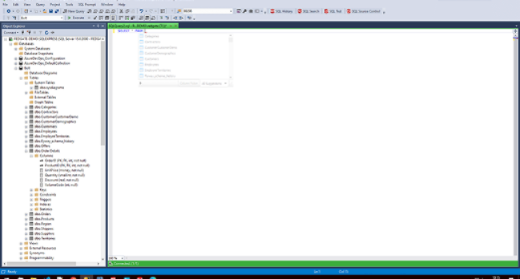
in a query window, SQL Prompt will pop up, and list the tables, views and table returning functions available in the current database. This is shown in Figure 4. The candidate list provided by SQL Prompt.

Figure 4. The candidate list provided by SQL Prompt.
This candidate list can be further restricted to display only tables or views. Also, the list of possible candidates is further restricted as you type, so it is easy to find all the tables that start with ''Exp'' for example.
The candidate list shows the name of the object, and next to the candidate list the definition of the object is also included, in order to aid the selection of the right database object.
Similarly to database objects, SQL Prompt can list columns for queries.
This saves the time used to find and explore object definitions, and can more than double the speed of writing SQL queries, as well as the amount of character strokes required to perform modifications.
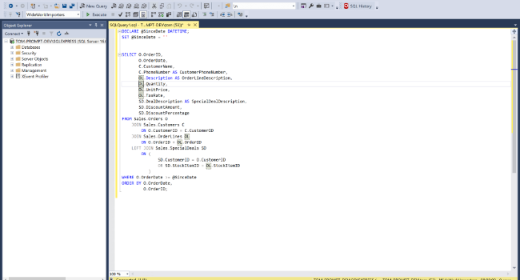
In addition to finding an object in the database and exploring this particular object, SQL Prompt can assist with dependencies. When one writes a query that joins a table with another table, SQL Prompt can assist to select the columns on which the join should be made on, and can fill in this part of the statement. This is shown in Figure 5. SQL Prompt suggests JOIN conditions. that shows how SQL Prompt suggests JOIN conditions.

Figure 5. SQL Prompt suggests JOIN conditions.
Here you can save time using SQL Prompt, as for every reference to a different table, the foreign keys and the relevant tables would need to be looked up and SQL Prompt automates this.
Generally SQL Prompt saves seconds and tens of seconds with each of its pop-up candidate lists, but it does this on average several times a minute.
Snippets
Certain SQL statements are used and reused frequently. Many of these can be turned into a template, or a so called snippet. SQL Prompt has many such templates that can be inserted into the code with just a few key presses. For example typing ''cdb'' and pressing Ctrl-space, the default triggering shortcut, will insert a CREATE DATABASE statement, and you only need to fill in the names of the database, the database files, etc. These snippets are customizable, and new snippets can be added easily. They can save much time, both with frequently used tasks, where the snippet saves time by reducing the amount of time spent on typing, as well as rarely used syntax, where by providing a template that just needs to be filled in will save the time of looking up the exact syntax in the documentation.
SQL Dependency Tracker
SQL Dependency Tracker visualizes inter-object dependencies within a database as well as across multiple databases. This tool fits into the 'exploring multiple objects' category in the classification introduced in the first half of this white paper. When a table is modified, the database administrator or developer must make sure that all the referencing database objects are also reflecting the changes to the table. Using SQL Dependency Tracker they can create a dynamic graph like to one illustrated in Figure 6.
![]()
Figure 6. Part of a dependency graph by SQL Dependency Tracker.
It allows you to see the object that references a selected object. In the example in Figure 6 the selected object is the Employee table from Adventureworks. You can quickly identify the database objects that depend on this, and can follow them up. The same can be said of the dependencies of their dependencies.
The dependency graph can also be exported into a PDF, and can form part of a detailed documentation, simplifying future database development. This tool can save hours worth of work exploring the database schema, as well as provide a means to visualize the dependencies.
SQL Refactor
SQL Refactor is a tool that contains over 14 small utilities or refactorings. Its primary goal is to make databases more explorable. The most important features include:
Lay Out SQL and Uppercase Keywords
The Lay Out SQL refactoring formats the SQL code and makes it more pleasant to the eye. By structuring the statements in an easy to understand way it helps to understand code faster. An example for the output of SQL Refactor is shown in Figure 2 and Figure 3. There is no ''best formatting style''. DBAs and developers all develop their own favorite style. To adapt to these various styles SQL Refactor is highly configurable. It contains almost 40 options to control just how SQL code is laid out. Furthermore, once a style has been chosen, it can be saved, and it can be used as an organizational policy for new SQL code. This has the potential to converge the styles of the people working in an organization and set a code quality standard.
A very similar refactoring to Lay Out SQL is Uppercase Keywords. It changes the casing of SQL keywords to uppercase. This is a common style used my many database developers and administrators.
As mentioned, formatting SQL code helps to understand it. It takes some time to add the spaces, but with some experience this can be done in just a few seconds for every single line in the SQL code. However, as mentioned, SQL code is often developed in an evolutionary way, and laying out code in every iteration would produce a rather large time overhead. SQL Refactor can format the same SQL code in fractions of a second. This feature is expected to be used constantly and invoked almost after completing a single statement.
Find unused variables
The evolutionary manner in which stored procedures, functions and triggers are usually developed mean that new SQL statements are added and removed as the requirements change and possible bugs are fixed. Some code may be left behind that has no use anymore. While performance-wise this may not cause many problems, it definitely slows down the process of understanding the SQL code. The ''Find Unused Variables'' refactoring analyzes the SQL code and intelligently identifies variables that are not needed. This includes identifying variables that are seemingly used by assignment statements, but their values are never queried. This feature increases the SQL code standard in organizations.
Summarize Script
When one starts to analyze a script, be it the contents of a maintenance script or a stored procedure, one reads through the code several times. This is particularly the case when the SQL script is over hundreds of lines of SQL code. In the first read you generally skim through the code to understand its structure. The Summarize Script refactoring, while not strictly speaking a refactoring, gives a hierarchical overview of a script. This overview is almost like a table of contents for the script. It allows you to see a summary of the individual statements, for example for a complex select statement it simply states that there is a select statement, and lists all the tables, views and functions that the select statement references. An example output of the Summarize Script is shown in Figure 7.

Figure 7. Script summary by SQL Refactor.
General Code Quality Refactorings
SQL Refactor also provides many other refactorings that improve code quality.
Qualify Object Names turns object names within a script to their fully qualified name, i.e. including the object owner or schema. It is like using a person's full name instead of the first name. It will prevent ambiguities in the SQL scripts. To do this without SQL Refactor one needs to look up the relevant database object and find its schema or owner. After this, one needs to change the object reference to reflect the full object name. This must be done for every object reference. Depending on the number of references it can take minutes or even hours. It takes however only seconds with SQL Refactor.
Using ''Select *'' is also not considered to be acceptable for production code, but it is very frequently used during development. Replacing these statements to contain the full column list costs time, as each table and view definition needs to be looked up. But like in the case of qualifying objects, SQL Refactor can fix these problems in seconds.
Finally, large stored procedures can be difficult to read, and often can be broken up into smaller stored procedures. This aids code reuse too, making development faster. SQL Refactor can help to identify the parameters, and create a new stored procedure for a selected portion of existing code.
Object Renaming
Since the database schema is developed progressively, some objects may need to be renamed. This is particularly important if you want to follow naming policies. Renaming a database object is not always a trivial task, as you need to handle all the referencing objects. One solution is to use SQL Dependency Tracker. Another solution is to use SQL Refactor to perform the rename. It will create a script to modify the name of the object, as well as all the references in all the dependent objects in the same database.
SQL Doc
Documentation is in the category of making a database more explorable. But where should the documentation be stored itself? If the database development is done on the database itself, it is desirable that the documentation is also available and stored in the database. Extended properties can help, but it is a cumbersome process to read and modify these efficiently. To query an extended property you would need to execute a SQL statement like:
FROM FN_LISTEXTENDEDPROPERTY(NULL, 'schema', 'Marketing',
'table', 'Events',
'column', DEFAULT) ;
SQL Doc can assist. It provides a user interface to generate and to explore database documentation. It can create an initial documentation version for a database by listing the database objects, their properties as well as their dependencies both in the current and other databases. SQL Doc can then export the generated documentation into interactive HTML or CHM formats.
Summary
Database administrators and developers need to work with large amounts of legacy code and database schema as well as complex database schemata whose details are beyond that which can be kept in someone's head. The common requirement in these databases is that the current DBA or developer needs to be able to understand the schema in order to work with it. The faster you can do this, the more productive you will be. The tools introduced in this white paper help all aspects of understanding the database schemata. They allow you to explore the database schema quickly and apply your knowledge in the current tasks. They also help to improve the quality of the schema, thus making the exploration of it faster in the future. The four tools introduced here are SQL Prompt, SQL Dependency Tracker, SQL Refactor and SQL Doc. These products complement each other and can be used side-by-side. The way they help the various aspects of the DBA's work introduced in Figure 1 is shown here in Figure 8.

Figure 8. How the SQL Prompt bundle fits in.