SQL Backup box shot

SQL Backup

Features

Features for performance and robustness

High-performance compression

SQL Backup offers up to four compression levels so you can optimize your backups for speed or for size*. New compression level four offers even higher compression rates for smaller backups, so you can save time on restores and storage space.

Network resilience for backups

Strengthen the process of writing or copying backups across networks with SQL Backup Pro's network resilience for a fault-tolerant transfer. Network resilience also resumes interrupted backup operations automatically from where they stopped, so you don't need to intervene.

Network resilience for restores – scriptable support

SQL Backup Pro lets you script network resilience for restores, so you can be confident your restore operations will not be disrupted by flaky networks. For more information about this feature, see SQL Backup Toolkit help.

'Self-healing' log shipping

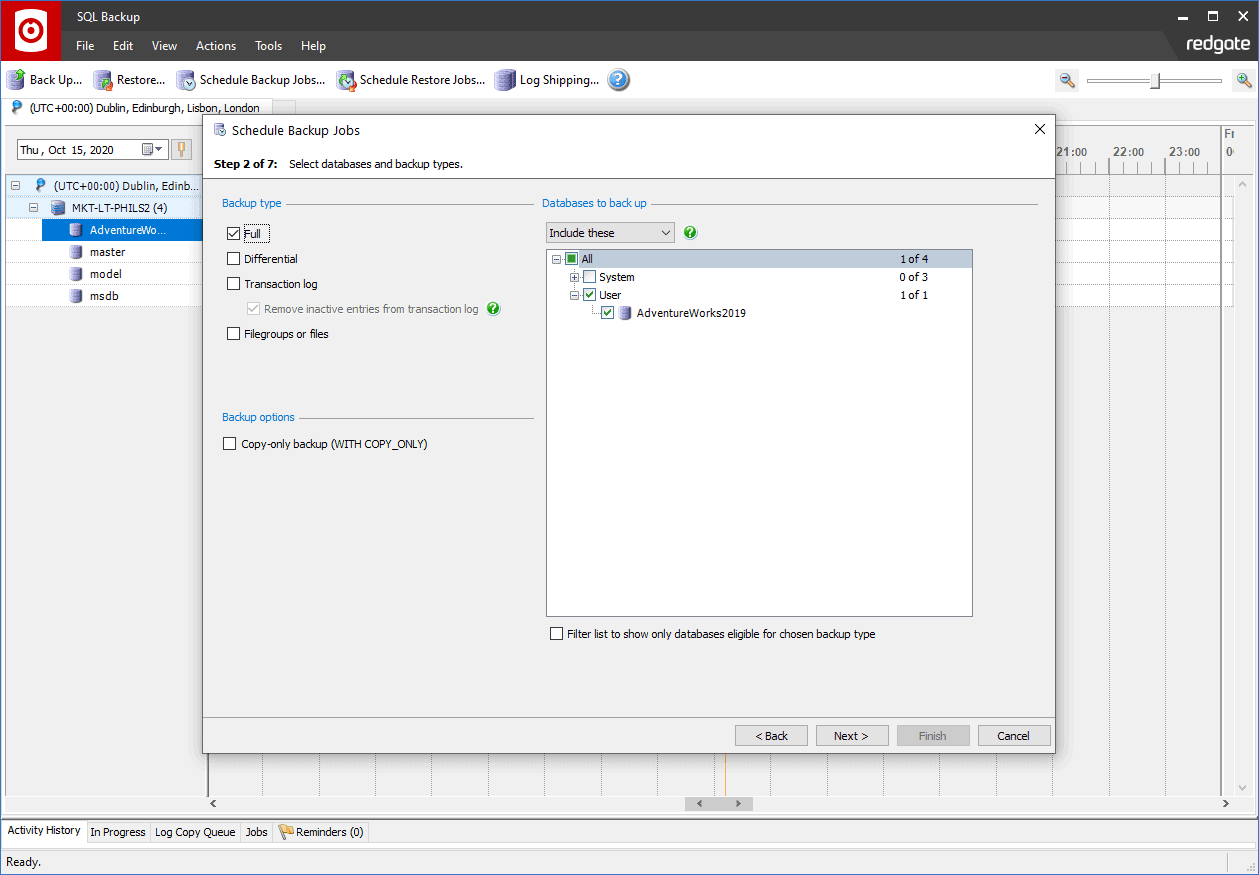
Use SQL Backup Pro's intuitive wizard to set up log shipping in six simple steps. Network resilience for log shipping ensures that the network transfer of transaction log backup files is not disrupted by a flaky network. SQL Backup Pro queues transaction log backups during a network outage and restores them in the correct order when the network is back up, so your log shipping operations become 'self-healing'.

Secure encryption

With 256-bit AES encryption, SQL Backup Pro secures your backup files from unauthorized access.

Split backups

Take advantage of multi-CPU and high-speed disk array systems to speed up the backup and restore process even further.

Multiple threads

Multiple threads are included within SQL Backup's engine to let you achieve backups to a single file faster.


Features to save you time

Centralized management of backup activities with Timeline Monitoring™

Manage your backup and restore operations from an intuitive user interface that includes Timeline Monitoring™, an interactive, color-coded timeline, so you can quickly visualize and edit past, current and future activities.

Integrates with SQL Server Agent

SQL Backup integrates with SQL Server Agent, so you can schedule database backups to run regularly without the need to intervene.

SQL Object Level Recovery Pro™

Recover database objects from SQL Backup (.sqb) backups and restore them to a server licensed with SQL Backup Pro, so you can save time and space over having to restore an entire backup. SQL Object Level Recovery Pro also takes advantage of Red Gate's industry-leading comparison engine technology.


Features to ease enterprise-wide activities

Multiple server activation

Activate your SQL Backup license for multiple servers in one go, using the new Multi-Server Activation dialog in SQL Backup's Utilities menu.

Scriptable support for native SQL Server 2008 Enterprise Edition compression

SQL Backup supports a new keyword to enable you to script backup jobs using SQL Server 2008 Enterprise Edition's default compression level. See SQL Backup Toolkit help for more information about this feature.

Enterprise and server level reporting

Enterprise and server level reporting means you can generate reports across your entire enterprise or just for a single server.


Features to minimize user error

Kill existing connections

Prevent the frustration caused when a restore operation fails because users are still connected to the database you need to restore to. SQL Backup Pro enables you to kill existing connections as an automatic step in the restore operation.

Check for orphaned users

Automatically check for orphaned users when restoring a database onto a different SQL Server instance, so you know which restored database user accounts have an associated server login on that instance. If any orphaned users are found, you will receive a warning in the log file in addition to a list of the orphaned users.

Intelligent restore

Intelligent restore means all files needed for the specific type of restore you want to perform are automatically selected by SQL Backup.

Mirrored backups

Mirrored backups enable you to create a duplicate backup file simultaneously to a different disk, to minimize the possibility of media errors.


Features to offer flexibility

Command-line interface

The command-line interface is for power users who want total control of SQL Backup. Use syntax similar to T-SQL's BACKUP and RESTORE commands to set up your SQL backup operations.

Extended stored procedure

Use extended stored procedures to run backup and restore operations with Microsoft SQL Server Management Studio.

*Please note that if SQL Backup Lite is installed on the SQL Server, you can choose only compression level 0 (no compression) or compression level 1, the default compression level. Level 1 is the fastest compression level, but it can result in larger backup files than backup files produced using compression level 2, 3 or 4. Compression levels 0, 1, 2, 3 and 4 are all available with a SQL Backup Pro license.

from $295

($369 including support & upgrades)

  • Download 14-day free trial
  • Create a quote for SQL Backup
    • Buy this online
    • Add SQL Backup Pro to shopping cart
    • Add SQL Backup Lite to shopping cart
Feedback Form