
Security and compliance
Ensure data security and compliance with monitoring and change traceability
Ensure data security and compliance with monitoring and change traceability
Monitor and understand your databases with full visibility into performance and change
Build, test, and deploy database changes with confidence
Simplify and speed up database development workflows
Prepare reliable data foundations for AI initiatives
Simplify and secure database modernization across platforms
Control costs and boost efficiency in database operations
Simplify and speed up cloud database transformation
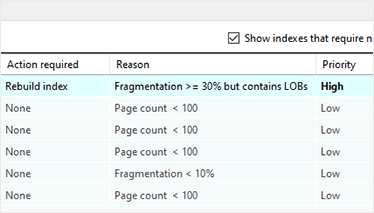
SQL Index Manager lets you quickly and easily find out the status of your indexes and discover which databases need maintenance.
You can do maintenance through the UI, or generate a T-SQL script to run in SQL Server Management Studio.
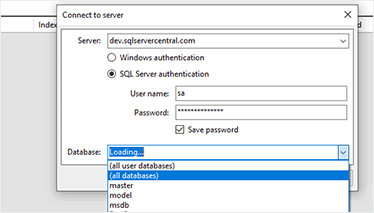
Analyze individual databases, or multiple databases at once
Select your server and choose to scan and fix fragmentation on a specific database, all User databases, or all System databases.
You can also see the total time taken to complete the fragmentation scan.
Advice on rebuilding or reorganizing
See the suggested action, the reason for fragmentation, and the priority level for a fix.
If you use SQL Server Enterprise, you can also rebuild your indexes online.
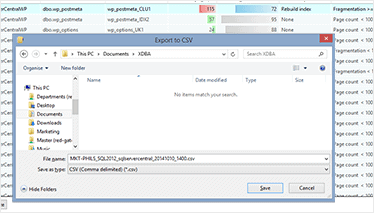
Analyze and export fragmentation results
Export the results of the fragmentation analysis as a CSV file for reporting and analyzing fragmentation over time.
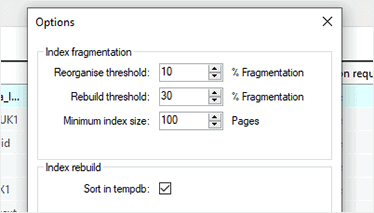
Configurable fragmentation thresholds
You can specify what thresholds to report on for index fragmentation and size.
Just configure the option to 'sort in tempdb' and set the common timeout duration.
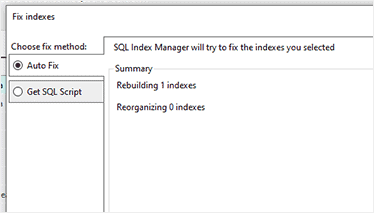
One-click maintenance
Start rebuilding or reorganizing selected indexes with a single click.
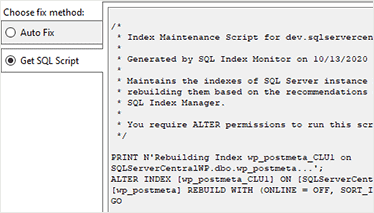
Automatic T-SQL script generation
SQL Index Manager generates T-SQL scripts for use in SQL Server jobs to rebuild or reorganize your indexes.
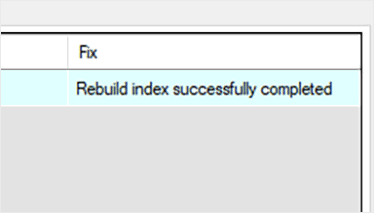
Real-time feedback
See which indexes SQL Index Manager has rebuilt or reorganized in real time.
Get started with SQL Index Manager
Download a 14-day trial of SQL Index Manager

If you'd like any help, or have a question about our tools or purchasing options, just get in touch.



