
Security and compliance
Ensure data security and compliance with data masking, monitoring, and change traceability
Ensure data security and compliance with data masking, monitoring, and change traceability
Monitor and understand your databases with full visibility into performance and change
Build, test, and deploy database changes with confidence
Simplify and speed up database development workflows
Prepare reliable data foundations for AI initiatives
Simplify and secure database modernization across platforms
Control costs and boost efficiency in database operations
Simplify and speed up cloud database transformation
Compress, verify, and encrypt SQL Server backups
Fully verified SQL Server backups you can rely on
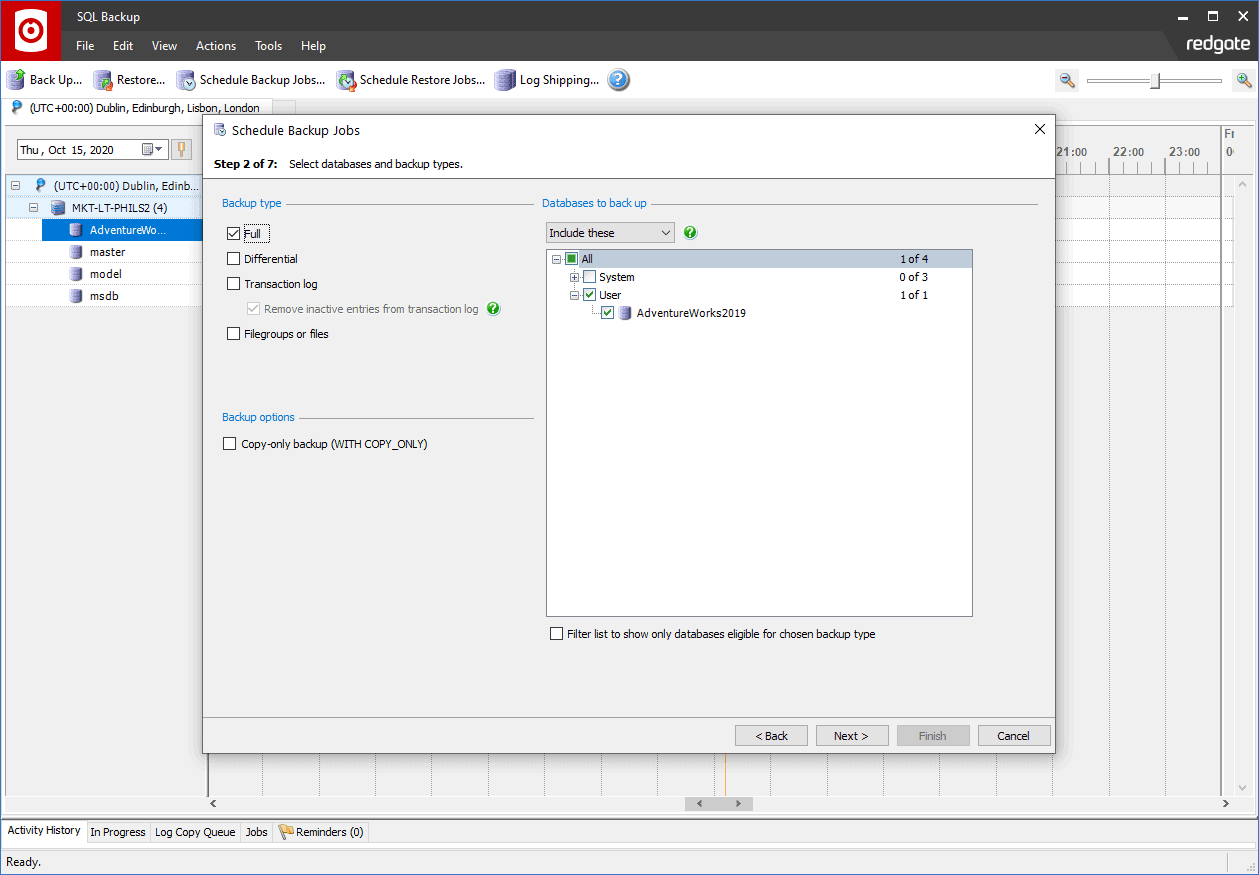
Step-by-step wizards and a centralized GUI take the legwork out of creating, restoring, and verifying your backups
Automate backups, backup verification, restores, and log shipping
Protect against backups failing due to network outages
Save storage space, speed up network file transfer, and get up to 95% backup compression - higher than native SQL Server
Secure your backups with 256-bit AES encryption
Let backups verify themselves. Schedule regular restores that also run the gold-standard database integrity check: DBCC CHECKDB
1 Year Subscription
Backup, restore, and verify – the three main features of any good backup strategy – are simple with SQL Backup Pro.
It takes fast, small, secure SQL Server database backups, based on whatever schedule you set.
Once you've made your backups, it can check they're free from corruption with optional CHECKSUM and RESTORE VERIFYONLY steps.
With the Schedule Restore Jobs wizard, you can also set up automatic verification with the gold-standard integrity check, DBCC CHECKDB, for complete confidence that your backup is error-free.
With automated backup verification, you'll gain peace of mind, and save time, hassle, and money.

DBCC CHECKDB in a scheduled restore jobDBCC CHECKDB, CHECKSUM, and RESTORE VERIFYONLY from the Activity HistoryGet started with SQL Backup Pro
Download a 14-day trial of SQL Backup Pro

If you'd like any help, or have a question about our tools or purchasing options, just get in touch.




