SQL Data Compare™
Noden uses database comparison tool to fix application implementation problems
There's perhaps nothing more painful for an IT person than automation gone awry.
That was the situation facing John Drinkwater, IT manager for Noden & Company, a UK law firm that specializes in immigration, asylum and naturalization cases. Noden had purchased a system that was supposed to help caseworkers and administrators automate their legal accounting work, including postings to client accounts for fees and expenses.
What Drinkwater got instead was a huge implementation headache. By the time Noden was in a position to use the system, there was a backlog of entries stretching back almost a year – tens of thousands of postings related to more than 2,000 live cases. The postings had to be keyed in by hand, and even then the software didn't work as it should.
"The user selected from dropdown boxes with defaults that were never the ones needed, entered standard text that was not available from the pick list, and had to cross-post ledgers," says Drinkwater. "On top of all of that, the software was buggy and pages didn't refresh properly, so data-entry clerks had to leave the data-entry screen after a few postings and go back into it to check that the data had been entered correctly."
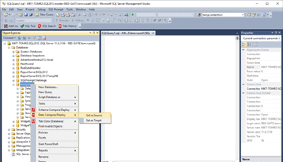
The saving grace was that Noden had all the data stored in Excel spreadsheets. Drinkwater called on what might be considered an unusual tool under the circumstances: Red Gate Software's SQL Data Compare, normally used to compare, synchronize and migrate data between two SQL Server databases. Drinkwater used the software as an analysis tool.
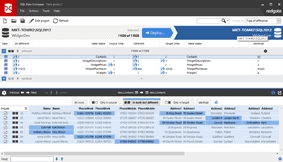
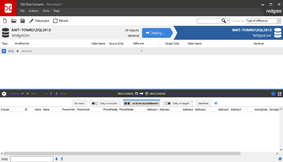
"SQL Data Compare allowed me to do a posting to the accounting system and watch what happened to the database on a step-by-step basis," says Drinkwater. "I could see which records were updated, which had new entries and, by doing frequent comparisons, in what order the tables were updated."
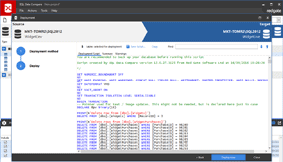
Drinkwater brought data from a spreadsheet into a temporary table using the SQL Server DTS tool. He then ran a stored procedure to perform exactly the same actions as the application's user interface for each line of the source data. SQL Data Compare was then used to check that changes worked as planned.
As part of the analysis, Drinkwater cut and pasted all of the SQL Data Compare change grids into a spreadsheet. After completing and debugging the stored procedure, he ran the same row of source data that was used for the analysis through the automated system. SQL Data Compare was used again to compare the original snapshot of the controlled database with the current database. Change grids were cut and pasted into another spreadsheet, and the two spreadsheets were checked to ensure that the automated process worked properly.
After two days of analysis, Drinkwater was able to batch-enter the entire backlog of data. The accounting system is now up to date, and Drinkwater expects to roll it out to users within the next few months. Meanwhile, caseworkers are still filling out their spreadsheets, but the back-end entry has been eliminated.
"At the end of every month," says Drinkwater, "I can now run the import process and watch maybe three days' worth of data entry whiz into the system in about 10 seconds."